

Who Can Be Added?
Only users with an existing AmzMonitor account can be added as team members. Use the email address associated with their account. If they don't have an account, ask them to sign up using the "Start Free Trial" button.
💡 Users who are already team members of another account or have an active paid subscription cannot be added.
Adding a Team Member
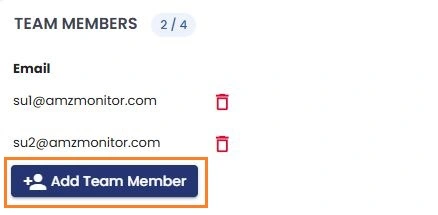
- Go to Team Management from the menu.
- Click "Add Team Member".
- Enter the user's registered AmzMonitor email address.
- Confirm to add the user to your team.
Team Member Permissions
Team members can use all AmzMonitor features except:
- Managing subscriptions.
- Adding or removing team members.
- Changing monitoring intervals.
💡 Team members are not automatically added to the notification email list. If you want them to receive monitoring notifications, add their email addresses to your notification email list.
Removing a Team Member
- Go to Team Management from the menu.
- Find the team member you want to remove.
- Click "Remove" and confirm.
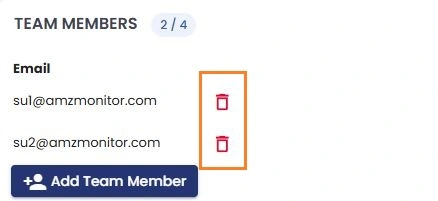
Once removed, the user immediately loses access to the shared account.