

Alerts
An alert is generated whenever AmzMonitor detects a change in any monitored field. Every alert is recorded by the system automatically. You can view all your alerts under Product Monitoring → Overview →Recent Product Alerts table on your AmzMonitor dashboard. This table shows all alerts from the last 30 days.
Filtering is flexible: use the quick filters in the top-right corner of the table to filter by general groups, or use the field dropdown to drill down into alerts for a specific field. You can also search by ASIN or title to focus on a single product's alert history.
Keep in mind that this table is field-based — meaning if a single product had its title, price, and seller count change, that's three separate rows in the table. One change, one record.
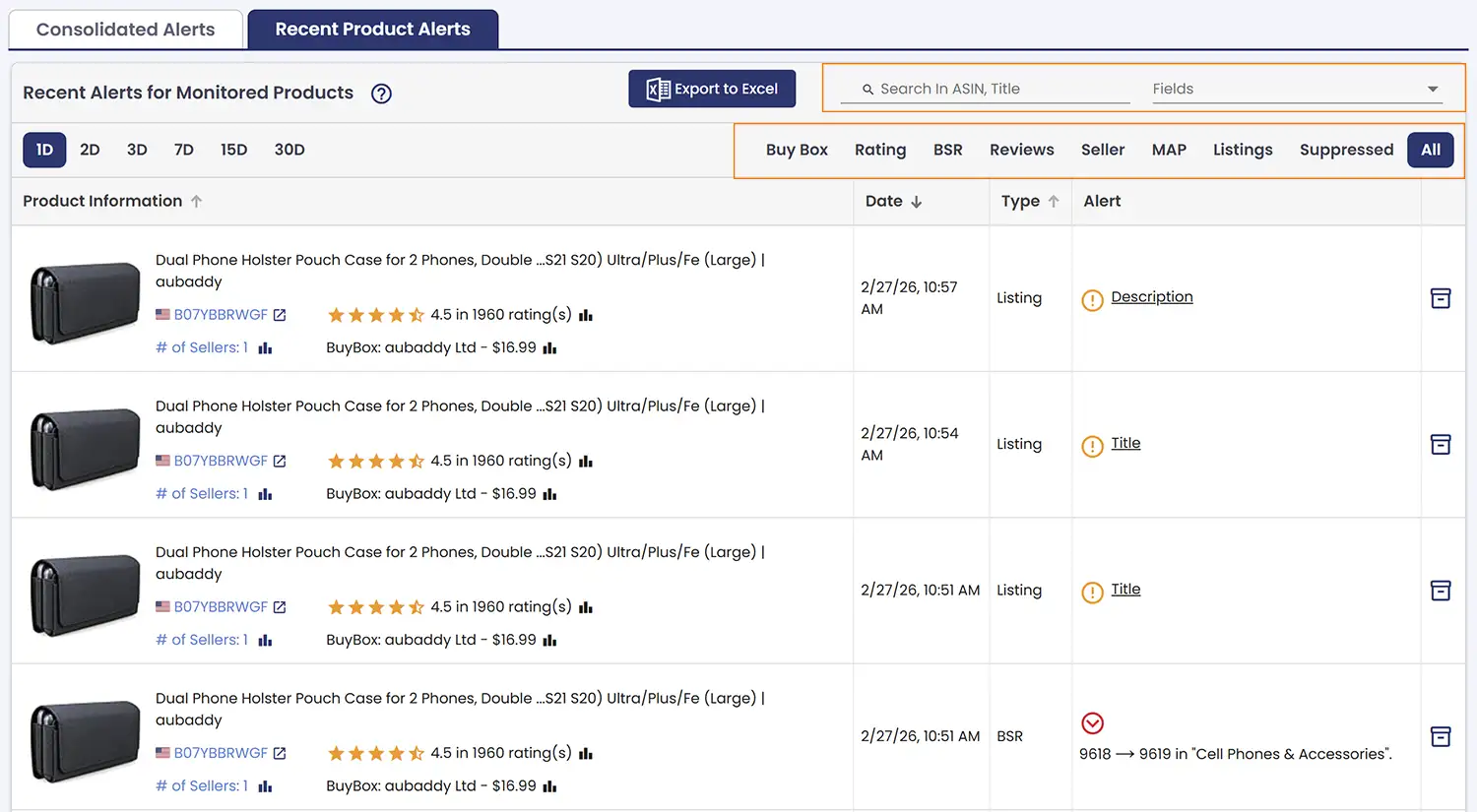
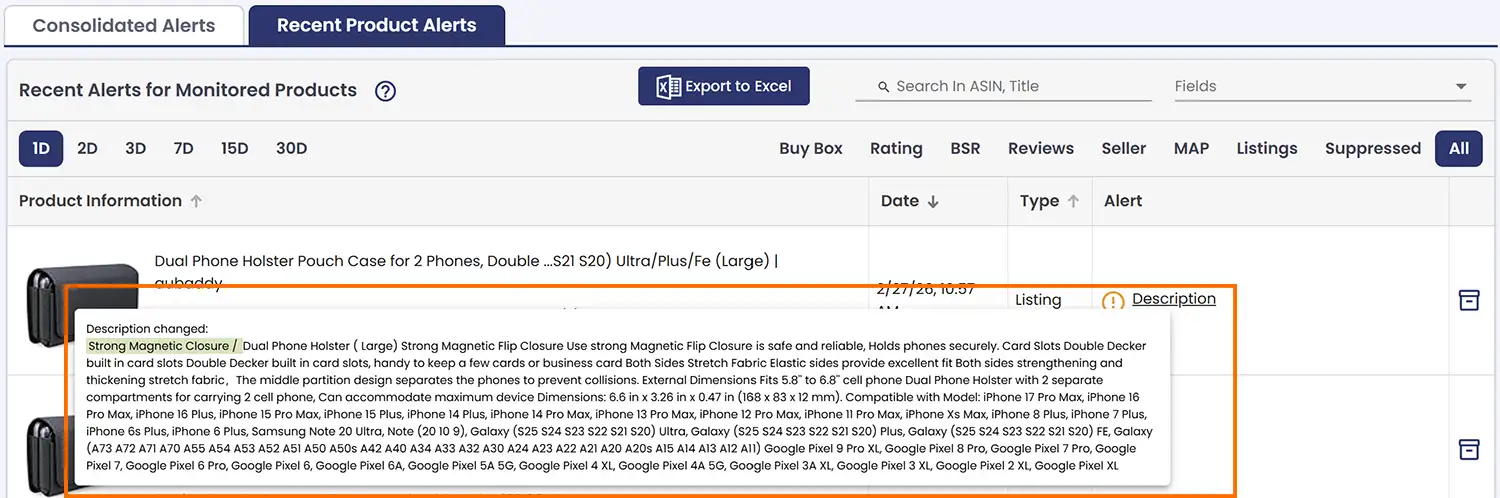
In the Recent Product Alerts table, the Alert column may sometimes contain lengthy content. In those cases, the alert is condensed into a clickable label — click on it to expand and view the full alert details.
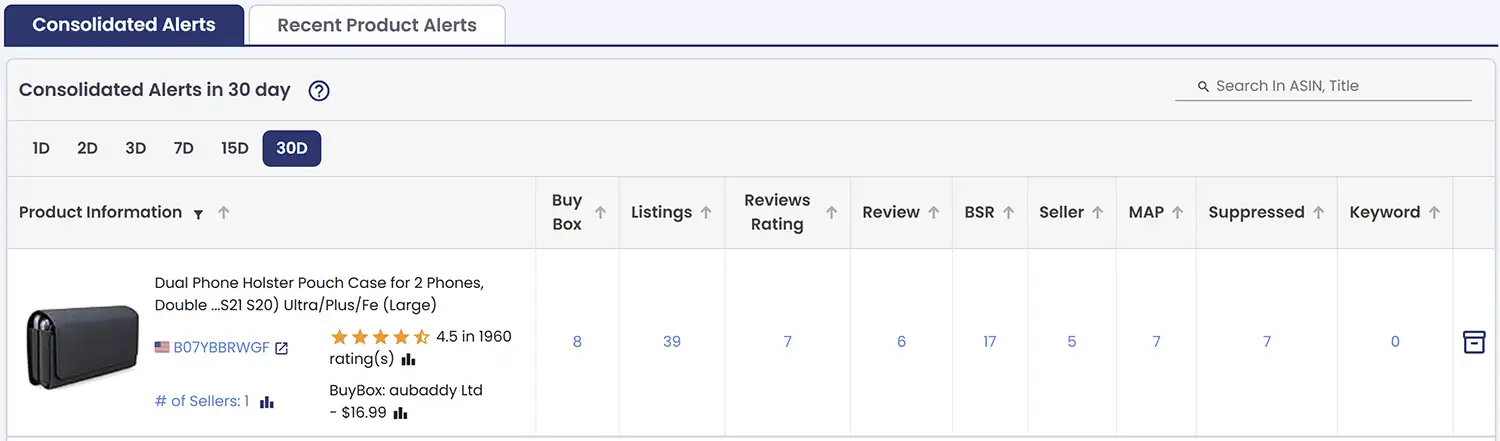
Beyond field-level alerts, AmzMonitor also gives you a Consolidated Alerts table — a higher-level view of all your alerts grouped by category over a selected time period. Each row represents a single product, showing a consolidated summary of how many alerts were triggered per group. This makes it easy to spot patterns and prioritize at a glance, without getting lost in individual records.
You can click on any number in the table to drill down and see only that alert type for that specific time range — giving you the best of both worlds: a bird's-eye view when you need it, and the detail when you want it.
Notifications
Not every alert needs to land in your inbox — but the ones that matter should never slip through. In AmzMonitor, notifications are the email alerts you actually receive. While every alert is recorded by the system automatically, notifications give you control over what gets sent to your inbox and when.
There are two types of email notifications:
Per-Product Notifications — This is the default behavior. When a notification is enabled, you'll receive an individual email for each product as soon as an alert is generated. Each email contains all the field changes detected for that product during that monitoring interval — so you have the full picture in one place. It's the most immediate way to stay on top of changes as they happen.
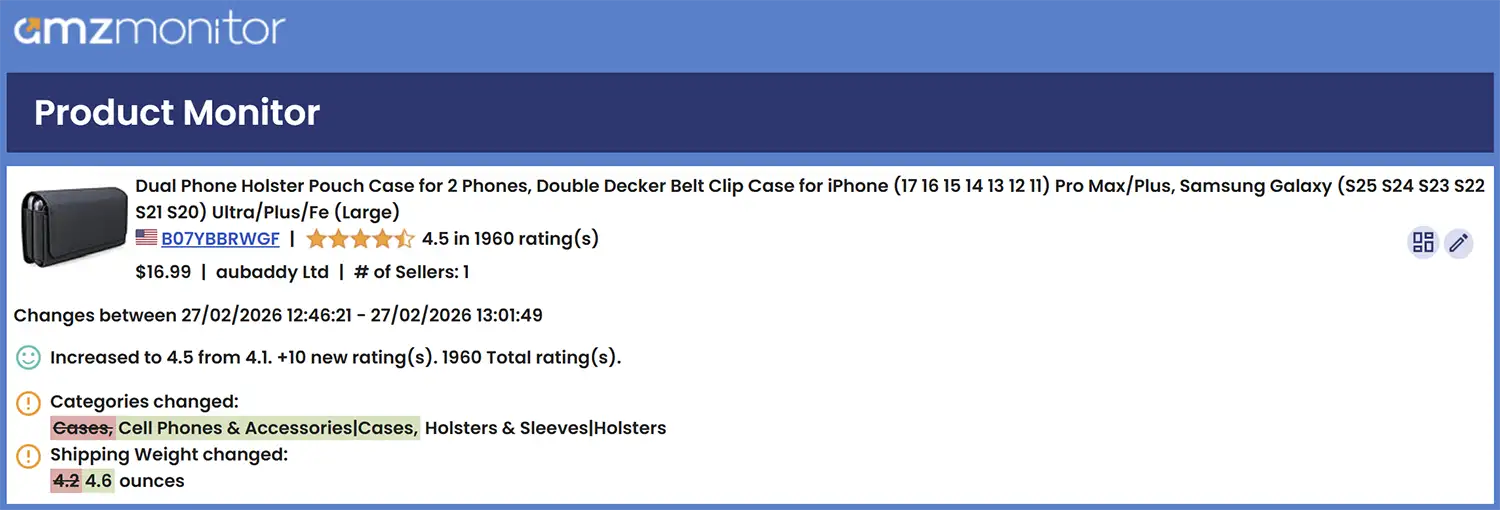
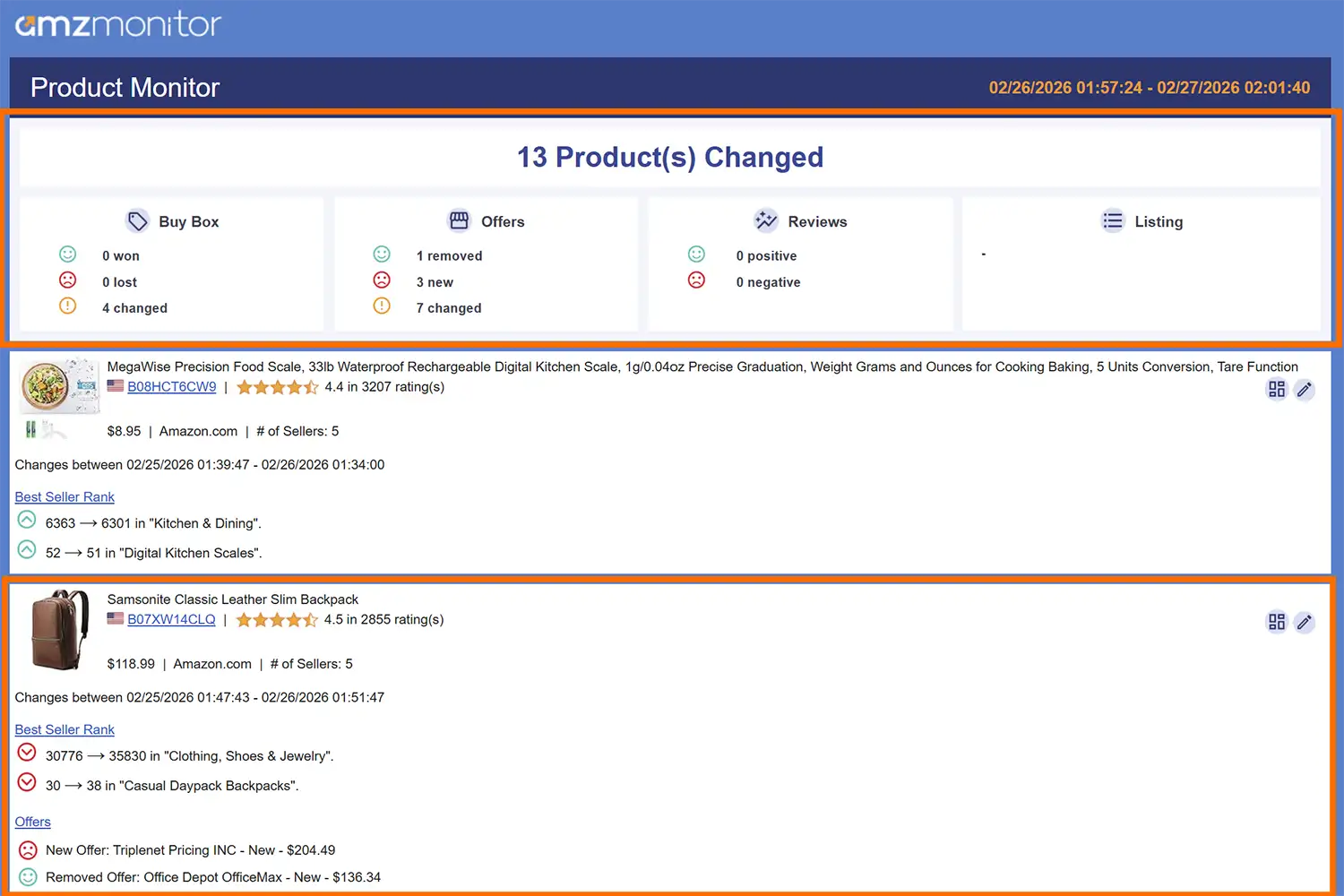
Consolidated Notifications — When enabled, instead of receiving separate emails per product, AmzMonitor bundles all alerts from a monitoring interval into a single summary email. This email may be longer, but it gives you a complete picture of everything that changed across all your monitored products in that interval — all in one place. This keeps your inbox cleaner while still keeping you fully informed. To enable consolidated notifications and configure your email notification preferences, head over to Notification Email Settings.
Consolidated notification emails are structured to give you both a quick overview and the full detail in one place. At the top of the email, you'll find a summary — the monitoring interval it covers, how many products had changes, and which main field groups were affected. Below that, each product is listed one by one, with all of its alerts for that interval laid out in detail.
By default, AmzMonitor tracks all supported fields and records every change — but that doesn't mean every change needs to trigger an email. Notification Triggers let you decide exactly which alerts are worth an email notification, so you stay informed without the noise. To set up your triggers, head over to Monitoring Settings.