Notifications & Alerts
-
Daily Email Report
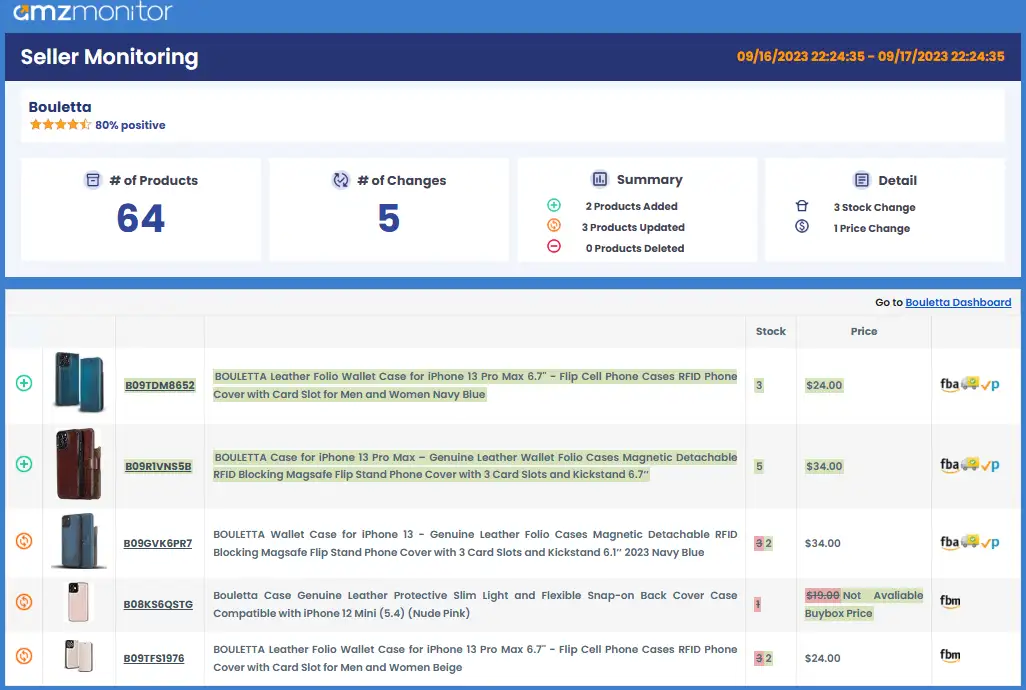
When email notifications are enabled for a seller, AmzMonitor sends you a daily email summarizing everything that changed on their storefront in the last 24 hours.
The email opens with a high-level overview: the total number of products currently tracked on that seller's storefront, and how many changes were detected since the previous day. Below that, changes are broken down into two layers — a Summary showing how many products were added, updated, or removed from the storefront, and a Detail view calling out the specific types of changes, such as stock movements and price adjustments.
Further down, each affected product is listed individually with its ASIN, product image, and title, alongside the current values for stock, price, and fulfillment method — with any changed fields clearly highlighted so you can spot what shifted at a glance.
Keep in mind that AmzMonitor only tracks products the seller is actively promoting on their Amazon storefront. If a product disappears from the list, it doesn't mean it's been deleted or is no longer being sold — it simply means Amazon is no longer featuring it on that seller's storefront at that point in time.
-
Recent Alerts for Monitored Sellers
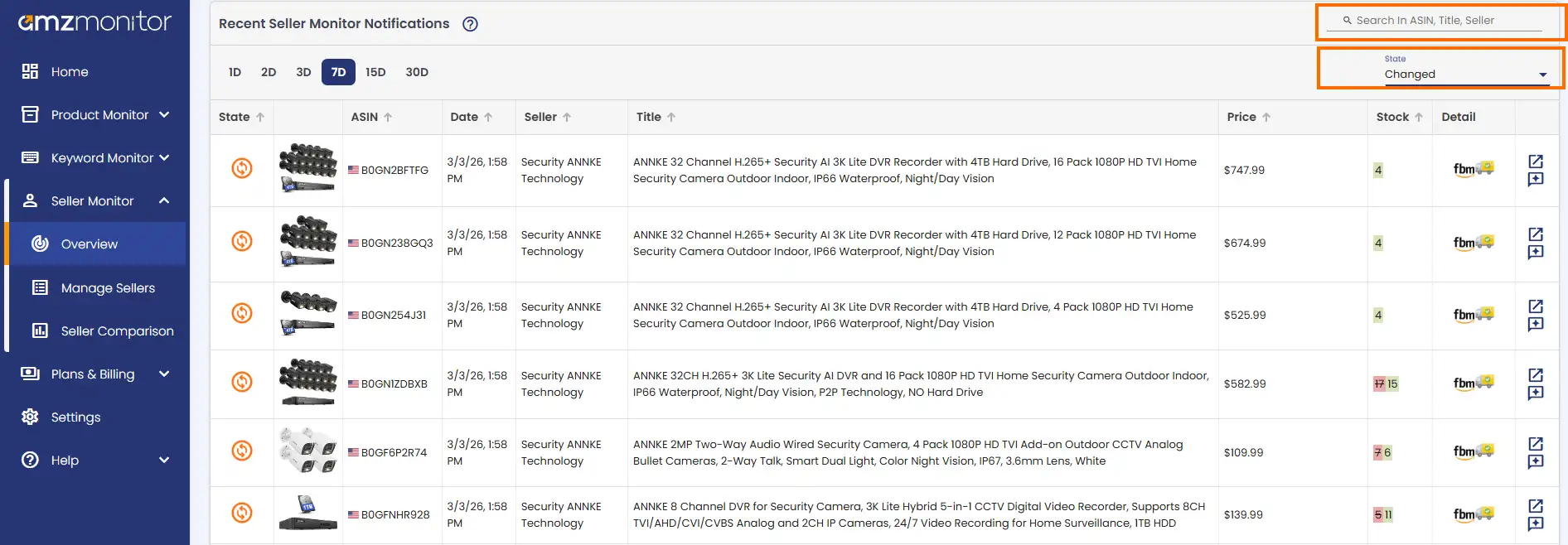
Every change AmzMonitor detects across all your tracked sellers is logged and accessible from the Recent Seller Monitor Notifications page — your central feed for everything that's moved.
Instead of digging through individual seller reports, this page surfaces alerts from all tracked sellers in one place, organized chronologically. You can browse activity across 1, 2, 3, 7, 15, and 30-day windows to zoom in on recent changes or review a longer stretch of history.
Each entry shows the affected product's ASIN, title, seller, date, along with the current price, stock, and fulfillment method at the time the change was detected.
The page comes with a set of filters to help you cut through the noise. You can search by ASIN, title, or seller name, and filter by the type of change — whether a product was added to a storefront, removed from it, or updated. Updates cover any field-level change: a price adjustment, a shift in stock quantity, a title edit, a fulfillment switch, and more.