Daily Seller Alert Email
The email opens with the seller's name and a Tracking Type badge right next to it — a quick reminder of what scope you chose for this seller: Top 300 Best Sellers, Top 300 Newest Arrivals, Top 300 Best Rated, or All Products. Below that sits the seller's current review rating and summary.
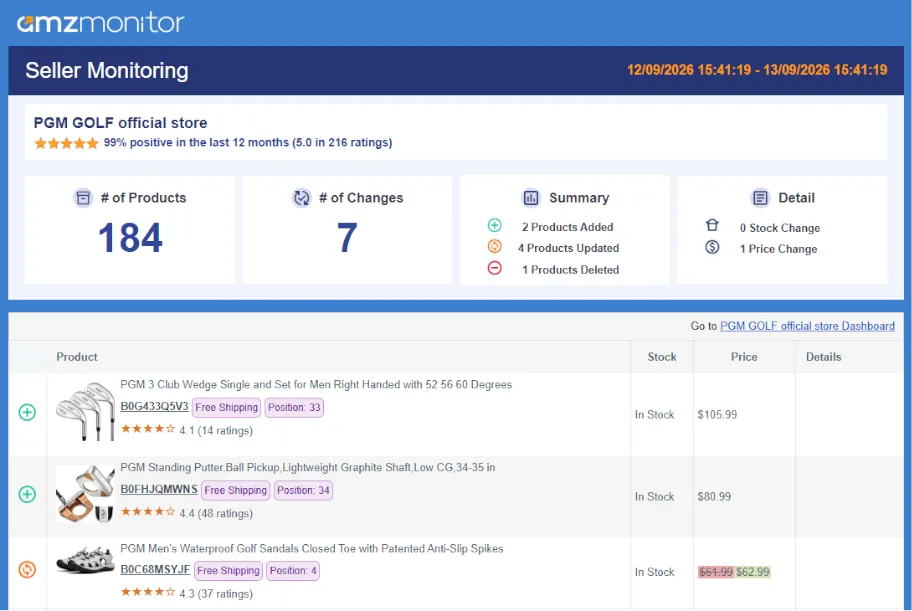
The body of the email is split into two layers. The Summary gives you the headline numbers — the total number of products currently tracked, and how many were added, updated, or removed since yesterday. The Detail layer breaks that down further, calling out exactly how many products had a price change versus a stock change.
Below the summary, every affected product is listed individually — thumbnail, title, ASIN, and its current price, stock, and fulfillment method, with any field that changed clearly highlighted so you can spot it at a glance.
AmzMonitor only tracks the products that fall within a seller's chosen tracking scope. If a product disappears from the list, it usually means Amazon stopped featuring it in that scope — not necessarily that it was deleted or is out of stock everywhere.
Seller Not Found Alert
Occasionally a seller's storefront becomes unreachable — the account may have been suspended, the Merchant ID may no longer resolve, or the page may simply fail to load after repeated attempts. When that happens, AmzMonitor sends a separate Seller Not Found email instead of a regular alert, so you know to double-check that seller rather than assuming nothing changed.
Recent Alerts for Monitored Sellers
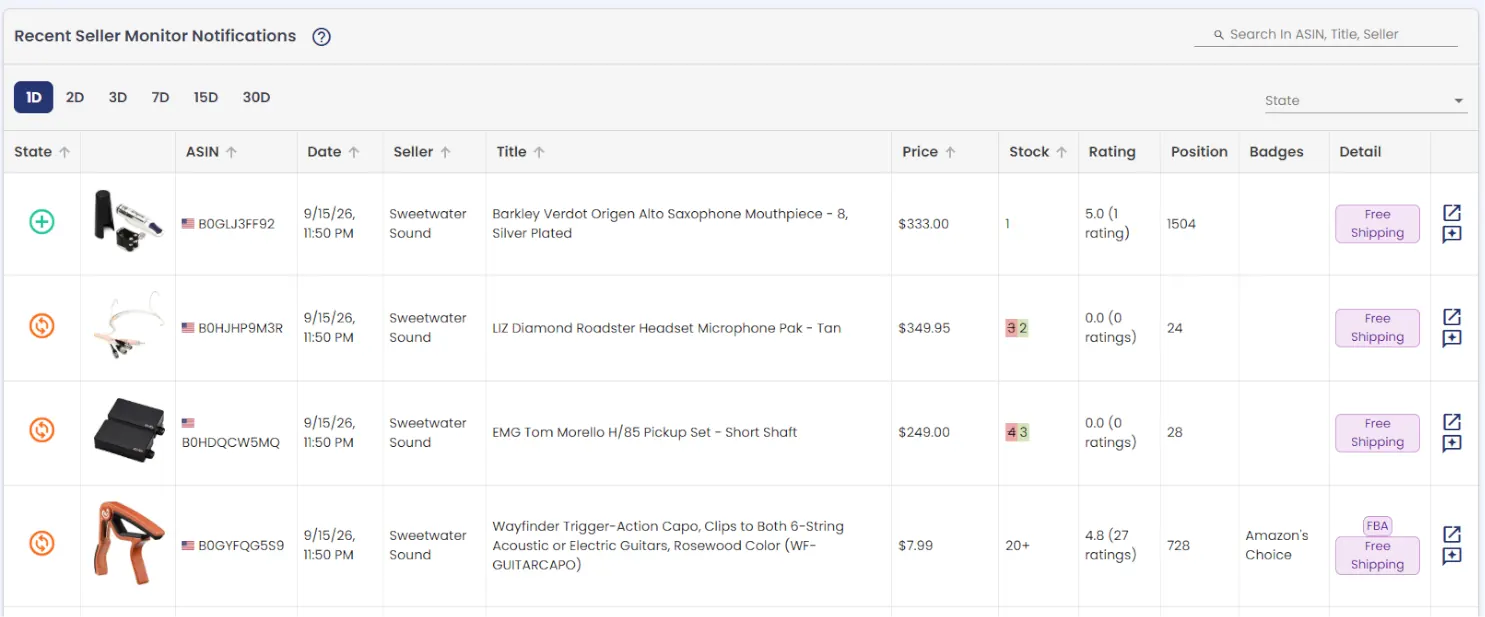
Every change AmzMonitor detects across all your tracked sellers is also logged centrally, on the Recent Seller Monitor Notifications page — your single feed for everything that's moved, without digging through each seller one by one.
Browse activity across 1, 2, 3, 7, 15, or 30-day windows, search by ASIN, title, or seller name, and filter by change type — added, removed, or updated (any field-level change: price, stock, title, fulfillment, and more).