Compare Any Sellers You Monitor, in One Report

Monitoring one seller at a time only tells half the story. AmzMonitor's Seller Compare Report puts up to four sellers you monitor side by side on one screen, so you can see catalog overlap, pricing position, and product-level details at a glance, no spreadsheets, no manual matching.

amzmonitor amazon seller compare report

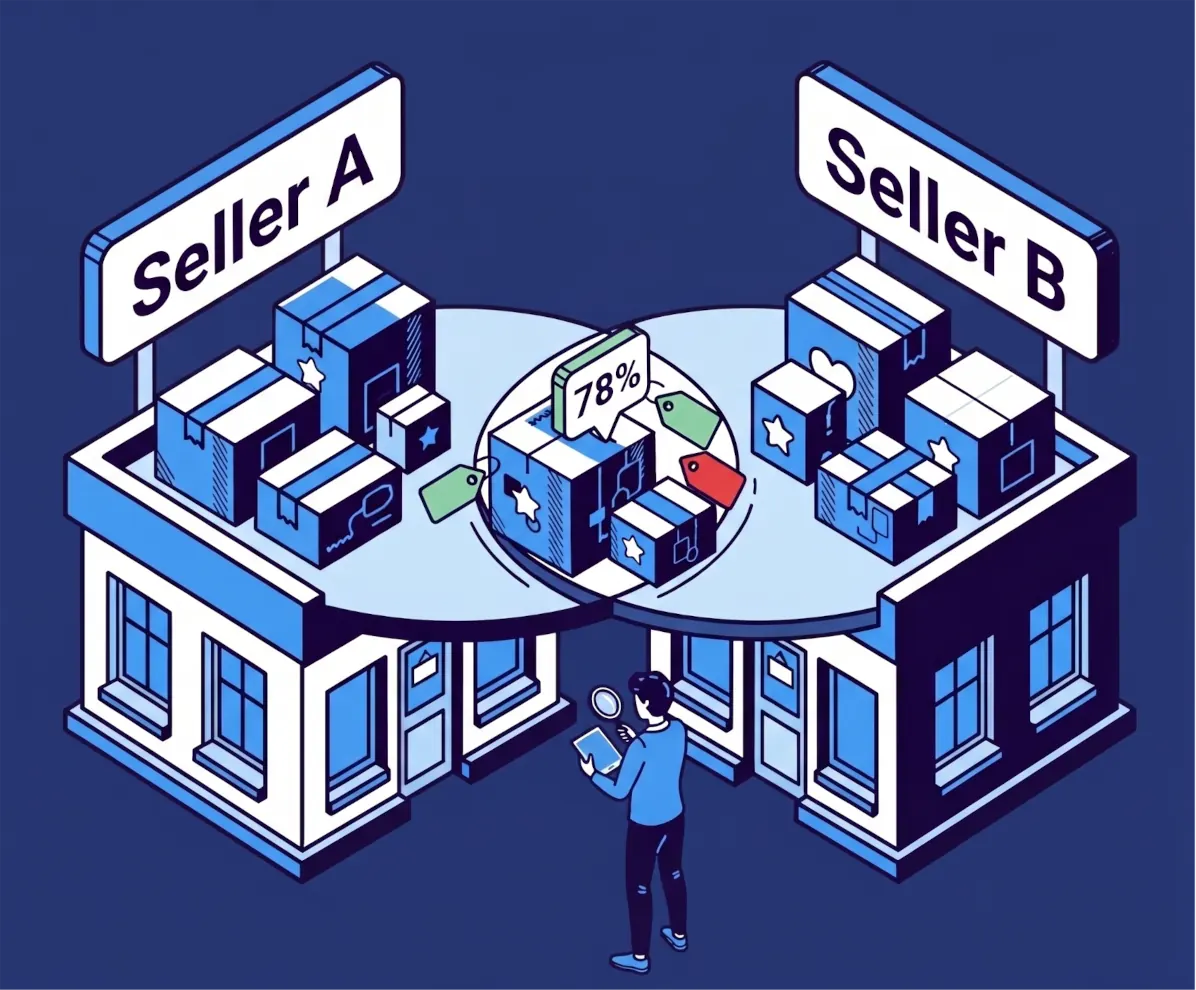
Catalog Overlap, Seller by Seller

  • Pick two to four sellers you already track and add them to the comparison.
  • See catalog overlap and pricing at a glance — what percentage of each seller's products also show up on the others, and who's priced higher or lower on the products you share.
  • Drill into a full product-by-product table with every seller's price, stock, shipping, and fulfillment side by side, then save the comparison by name to come back to it anytime.

See How Much Two Catalogs Overlap

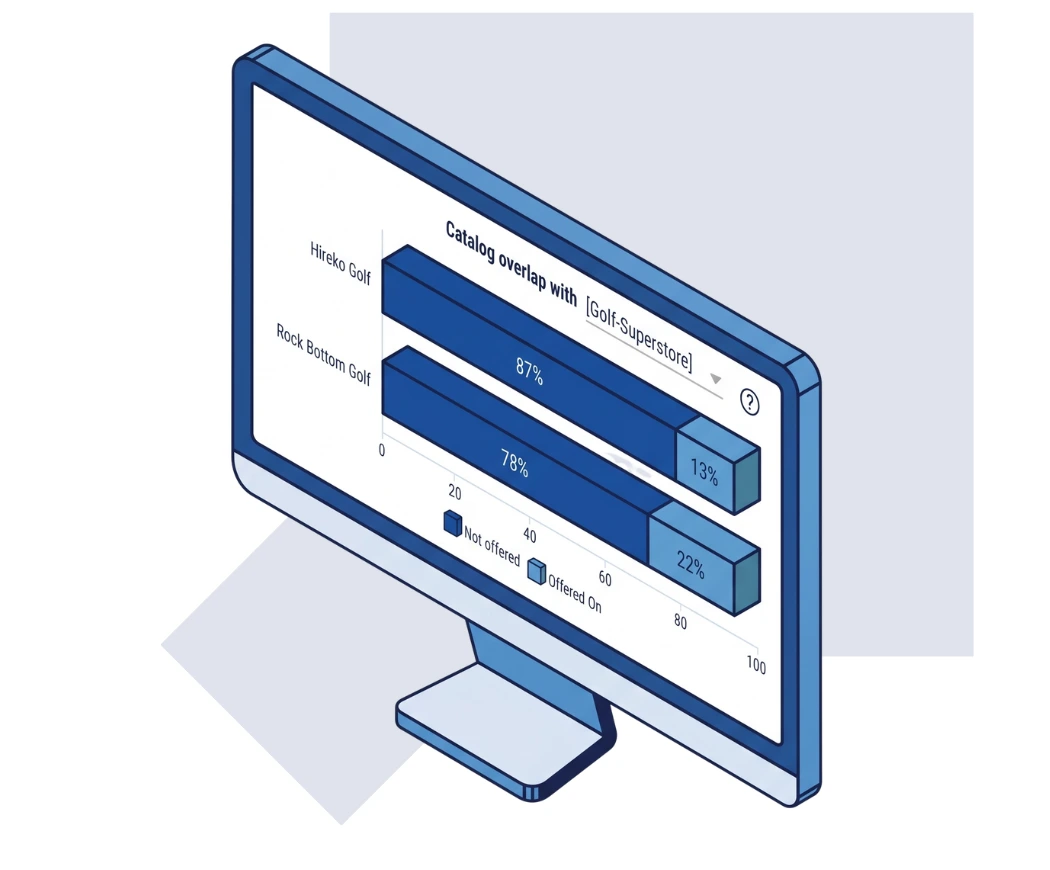
  • Pick a reference seller from the dropdown, and instantly see what percentage of their catalog is also carried by each of the other sellers you're comparing.
  • The overlap shows as a percentage right on the chart — hover any bar for the exact number of shared products, or click through to see the overlapping ASINs themselves.
  • Switch the reference seller anytime to view the same comparison from a different angle, no need to rebuild anything.
amazon seller catalog overlap chart
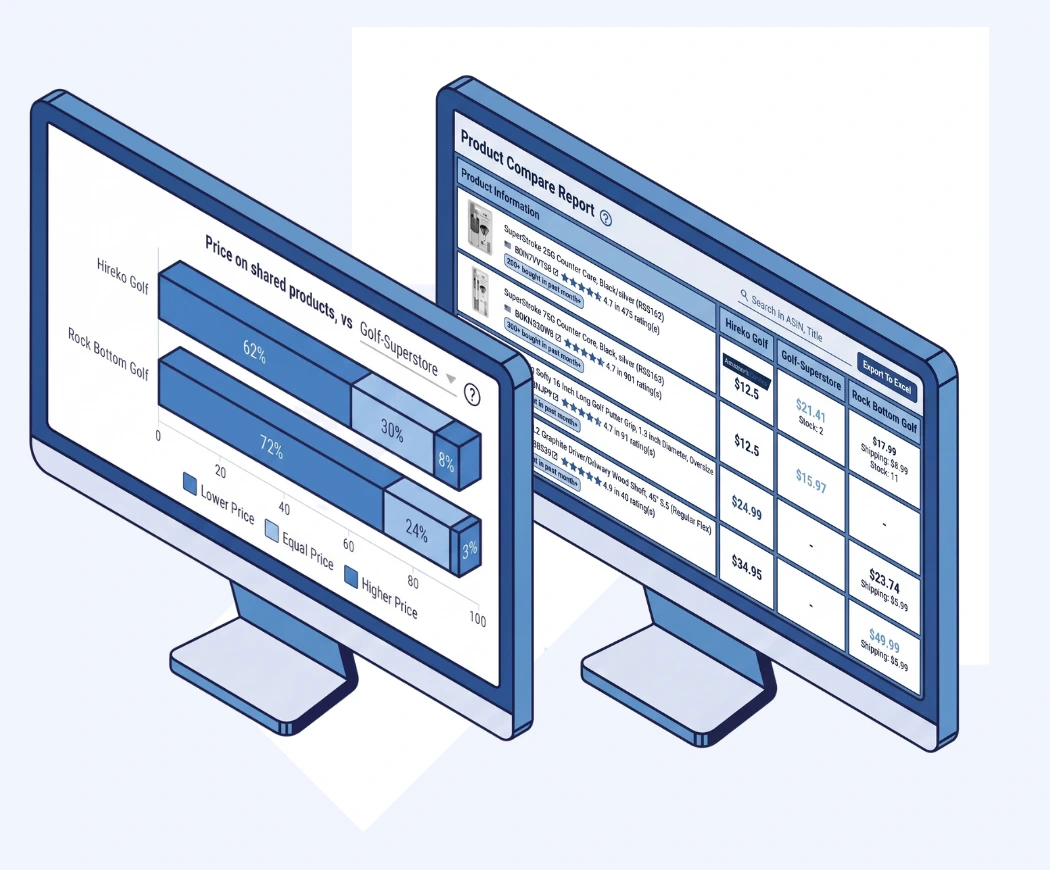
amazon seller price comparison table

Know Who's Priced Lower

  • On every product two sellers have in common, see who's charging more, who's charging less, and where prices are equal.
  • Drop into a full Product Compare Table with price, shipping, stock, and ratings for each seller lined up side by side, with the lowest price automatically highlighted.
  • Export the full comparison to Excel whenever you need to share it or work with the numbers elsewhere.

Amazon Seller Compare Report FAQ

What is a Seller Compare Report?

It's a side-by-side comparison of two to four sellers you're tracking, showing catalog overlap, price differences, and full product-level detail.

How many sellers can I compare at once?

You can select between 2 and 4 sellers from your tracked list for a single comparison.

What does "catalog overlap" mean?

Pick a reference seller. For each other seller in the comparison, the chart splits the reference seller's products into two groups: Offered On — the products that other seller also carries — and Not Offered — the ones they don't. Click either segment to see the exact products.

How is price positioning calculated?

For the products that overlap — the ones your reference seller and each other seller both carry — the chart shows which ones are priced lower, equal, or higher than the reference seller's price.

Can I save comparisons and export the data?

Yes. You can save a comparison by name, edit or delete it anytime, and export the full Product Compare Table to Excel whenever you need it.