

Know What Changes in a Competitor's Storefront with Amazon Seller Alerts

AmzMonitor scans the competitors you follow once a day. You get a notification when products are added or removed, or when a price, stock level, title, rating, badge or coupon changes. This keeps you informed about the daily changes happening in the storefronts of the Amazon sellers you monitor.

  • No credit card required
  • Daily storefront scans
  • 18 Amazon marketplaces
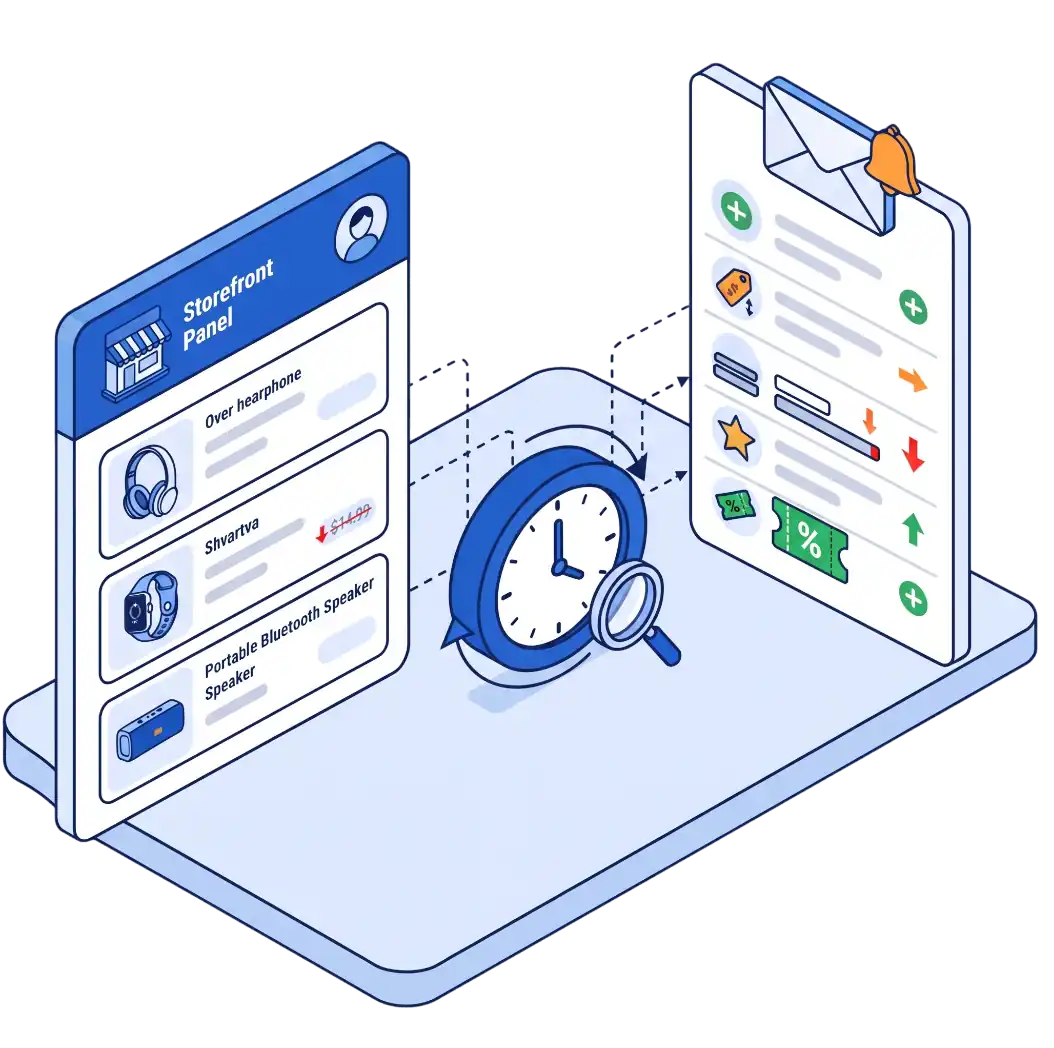
A competitor's storefront monitored every day, with the changes sent to you as a notification email
Alert Types

What Changes Trigger a Seller Alert?

Each scan is compared with the previous one, inside the tracking scope you chose for the competitor. See how tracking scope works.

Added and removed products

You're notified when a product enters or leaves the tracked scope. With Top 300 Best Sellers, that means a product entering or dropping out of the Top 300. A removed product may be gone from the store, or may have moved outside your scope.

Price, shipping and stock

You see the old and the new value side by side, with shipping next to the price. Amazon shows an exact stock number only below 20 units, so that's when you can watch it count down.

Title and rating

When a competitor edits a title, the changed words are marked, so you don't have to compare two long lines. Rating changes show the star rating and the number of ratings.

Badges, deals and coupons

You get notified when a Best Seller, Amazon's Choice or deal badge appears or disappears, and when a coupon is added, changed or removed.

Notifications

See What Changed in One Notification

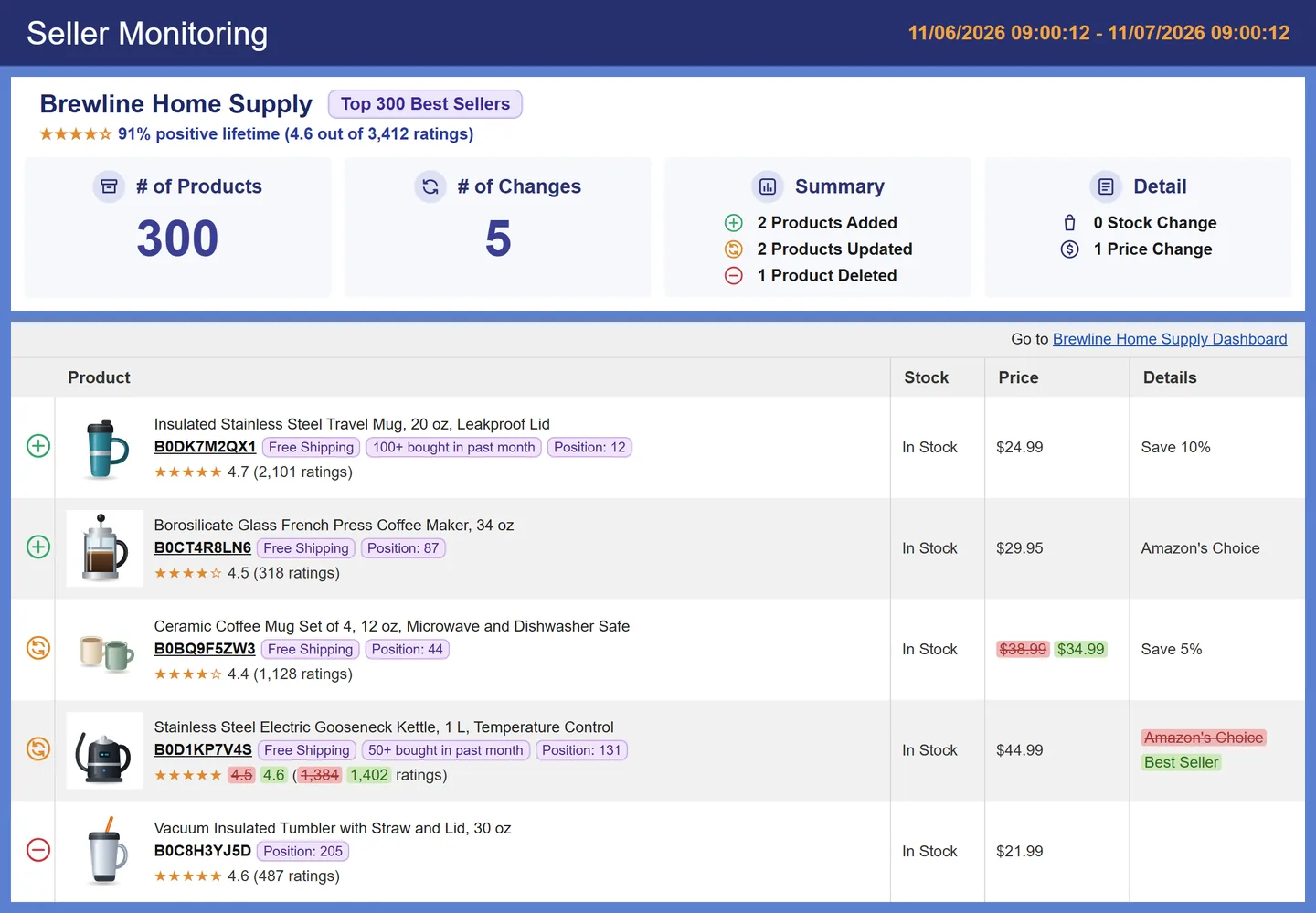
Every competitor with changes gets its own email. It lists what changed since the previous scan, so you don't have to open their storefront. See how alerts and notifications work

AmzMonitor competitor notification email with added and changed products
  1. 01

    A summary of the day's changes

    How many products were added, updated or deleted, and how many stock and price changes were found in that scan.

  2. 02

    A row for each product

    Image, title, ASIN and rating, with the stock, price and details that changed.

  3. 03

    Position in your tracking scope

    Each row can show the product's position, like 161. It is the product's rank in the tracking scope you chose: with Top 300 Best Sellers, 161 means it ranks 161st of 300. Position is for context and doesn't trigger an alert.

  4. 04

    Past-month purchases, FBA and Prime

    Where Amazon shows it, a row also carries a label such as "50+ bought in past month", plus FBA and Prime. These are for context too and don't trigger an alert.

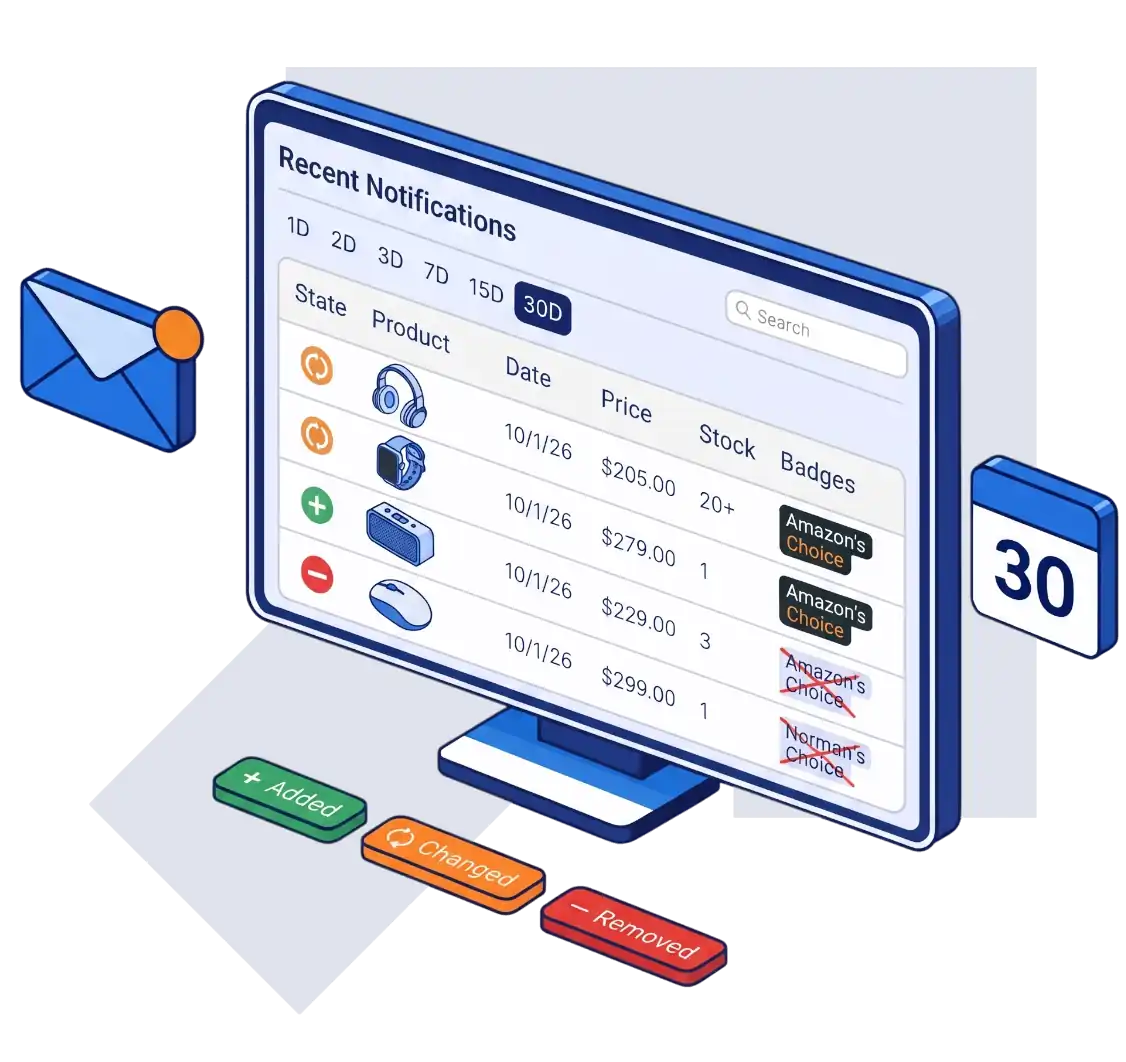
Recent notifications of monitored Amazon competitors with added, changed and removed products over 30 days
Alerts History

Review 30 Days of Competitor Changes

Every notification sent to you is also saved in the competitor's Alerts tab, so you can find it anytime.

  • Search by ASIN
    Find the changes of one product, or follow it over the last 30 days.
  • Filter by change type
    Show only the products that were added, removed or changed.
  • All competitors in one feed
    Recent Seller Monitor Notifications lists the changes across every competitor you follow, from 1 to 30 days.
Competitor Not Found

Know When a Competitor's Page Can't Be Reached

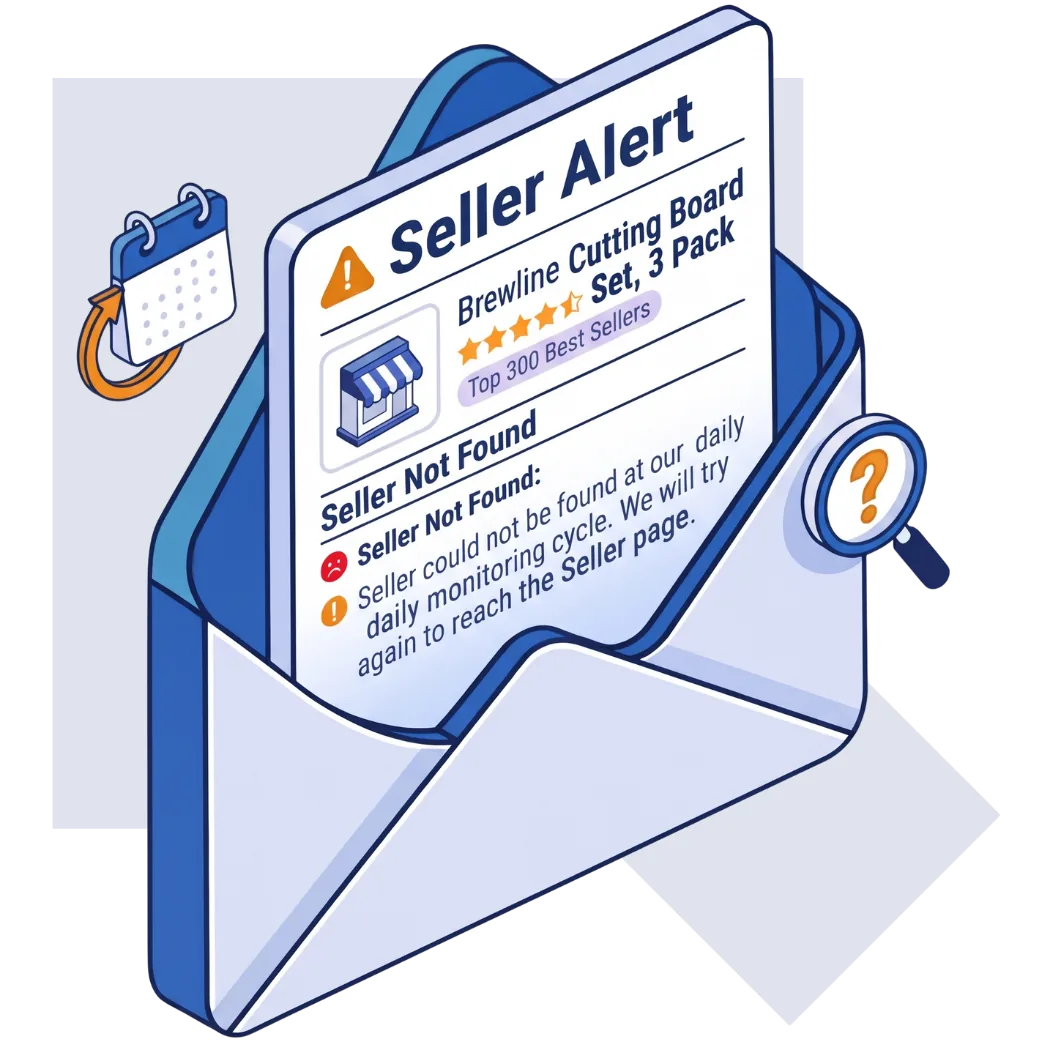
  • Warnings and a Final Notice
    If a competitor's page can't be found, you get a separate warning that day. After three warnings in a row, the next failed check stops monitoring for that competitor and we let you know.Seller Not Found: Seller could not be found at our daily monitoring cycle. We will try tomorrow again to reach the Seller page.Seller Not Found: Seller monitoring has been stopped because the Amazon seller page was not available in our last 3 daily monitoring cycles.
A Seller Not Found notification email for a competitor's page that can't be reached
How It Works

How Amazon Seller Alerts Work

  1. 01

    Add a competitor

    Enter the Merchant ID or storefront URL and pick one of 18 marketplaces.

  2. 02

    Choose a tracking scope

    Pick which part of the storefront to follow, up to 1,500 products.

  3. 03

    Choose who gets notified

    Keep notifications on for the competitor and send them to your main addresses or an email group.

  4. 04

    Read what changed

    Get the changes after each scan, then review them in your dashboard.

AmzMonitor plans and pricing

Every plan includes Seller Monitoring. Plans differ in how many competitors you can track, from 2 to 40.

Check interval

Shorter intervals check your products more often. The ASIN count in each plan changes with the interval.

Free trial

Let's Meet

$12 /mo

Start Free Trial

No Credit Card Required. Try free for 14 days

ASIN Monitoring every 24h
20
Keyword Monitoring every 24h
40
Seller Monitoring every 24h
2
Notification Email Addresses
1
Team Members
–

Bronze

$20 /mo

Buy Now

30-Day Money Back Guarantee

ASIN Monitoring every 24h
50
Keyword Monitoring every 24h
100
Seller Monitoring every 24h
3
Notification Email Addresses
3
Team Members
1

Silver

$35 /mo

Buy Now

30-Day Money Back Guarantee

ASIN Monitoring every 24h
100
Keyword Monitoring every 24h
200
Seller Monitoring every 24h
5
Notification Email Addresses
5
Team Members
2
Best value

Gold

$60 /mo

Buy Now

30-Day Money Back Guarantee

ASIN Monitoring every 24h
300
Keyword Monitoring every 24h
400
Seller Monitoring every 24h
10
Notification Email Addresses
8
Team Members
4

Platinum

$110 /mo

Buy Now

30-Day Money Back Guarantee

ASIN Monitoring every 24h
600
Keyword Monitoring every 24h
1,000
Seller Monitoring every 24h
20
Notification Email Addresses
12
Team Members
6
API access

Diamond

$200 /mo

Buy Now

30-Day Money Back Guarantee

ASIN Monitoring every 24h
1200
Keyword Monitoring every 24h
2,000
Seller Monitoring every 24h
40
Notification Email Addresses
20
Team Members
10

Need more than Diamond? We'll build a custom plan for you. Contact sales

Amazon Seller Alerts FAQ

AmzMonitor monitors each competitor storefront once a day, so you get seller alerts daily.
Products added or removed, and changes to title, price, shipping price, stock, rating, Best Seller and Amazon's Choice badges, deal badges and coupons.
Position in the storefront, past-month purchases, FBA, Prime, free shipping and image changes. They can appear for context, but they don't cause an alert on their own.
Not always. It means the product wasn't in the latest scan. It may have left the store, or moved outside your tracking scope.
No. Competitor alerts have no per-field settings. You can turn notifications on or off for each competitor.
The first scan only records the products. Alerts begin when a later scan finds a change. If the last data is more than 3 days old, the next scan starts a new baseline in the same way.
You get a warning after each failed daily check. After three warnings, the next failed check stops monitoring for that competitor and you get a final notice.
Yes. Add the product to Product Monitoring for monitoring every 2 to 24 hours and listing alerts.

Start Getting Amazon Seller Alerts Today

14-day free trial. No credit card required.