

Amazon Product, Review and Keyword Monitoring API

Manage monitored ASINs and keywords programmatically. Access Amazon product data, review activity, keyword rankings, alerts and reports directly through the AmzMonitor API. Integrate monitoring data into your own applications, dashboards and workflows without connecting Seller Central.

  • No Amazon login needed
  • 18 Amazon marketplaces
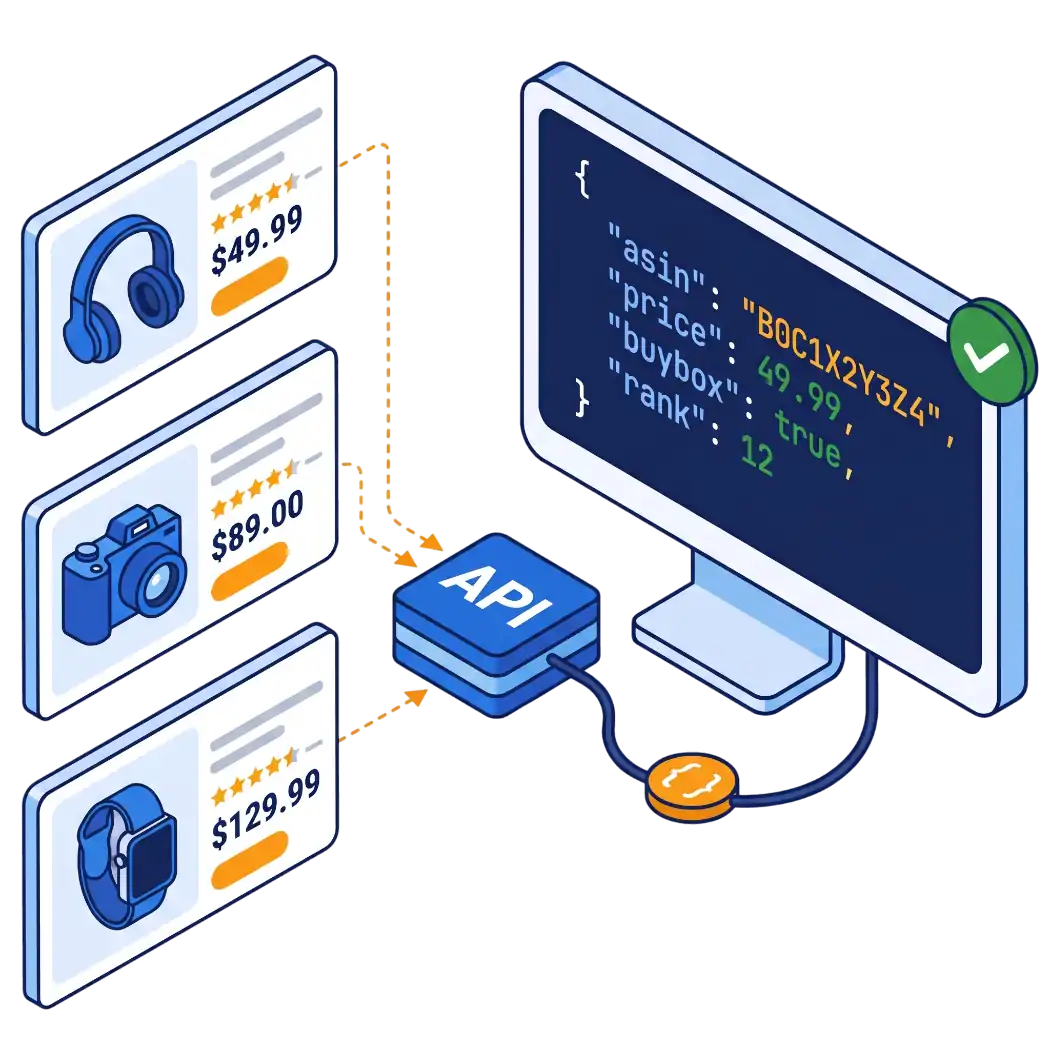
Amazon product monitoring data delivered through the AmzMonitor API
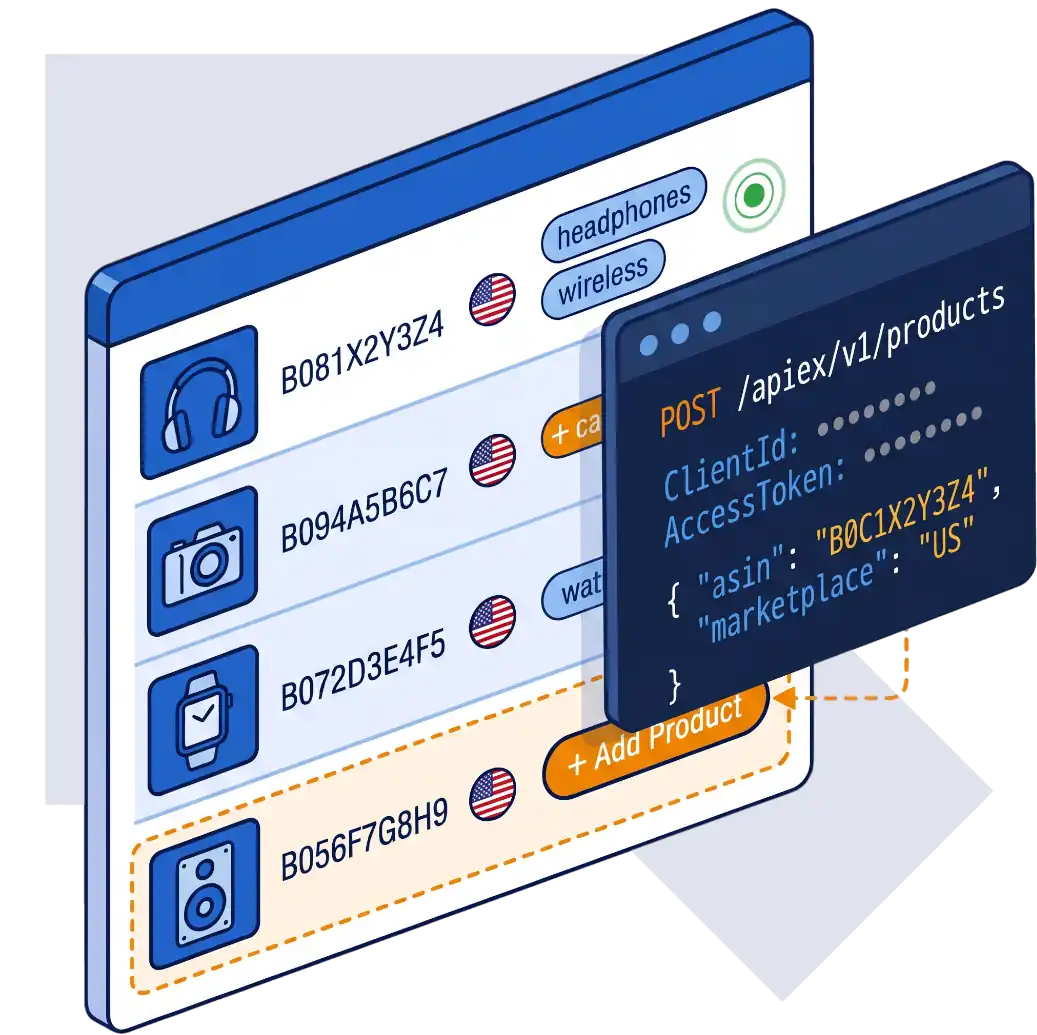
Monitoring list with products and keywords added and removed by an API request
Manage Monitoring

Add and Manage ASINs and Keywords with API Calls

You don't need the dashboard to manage your monitoring list. Every product and keyword operation has its own API endpoint, so your system can add, update and remove them directly.

  • Add, update and remove products
    Add a product with one POST request that sets its ASIN, marketplace, keywords, notification trigger, email group and MAP price. Your system can then add and remove products on its own, following your rules: start monitoring the day a product launches, and stop when it's discontinued.
  • Manage keywords
    Add, update and remove keywords with their own endpoints, and choose the ASINs tracked for each one.
Alerts and Product Data

Retrieve Change Alerts and Product Data

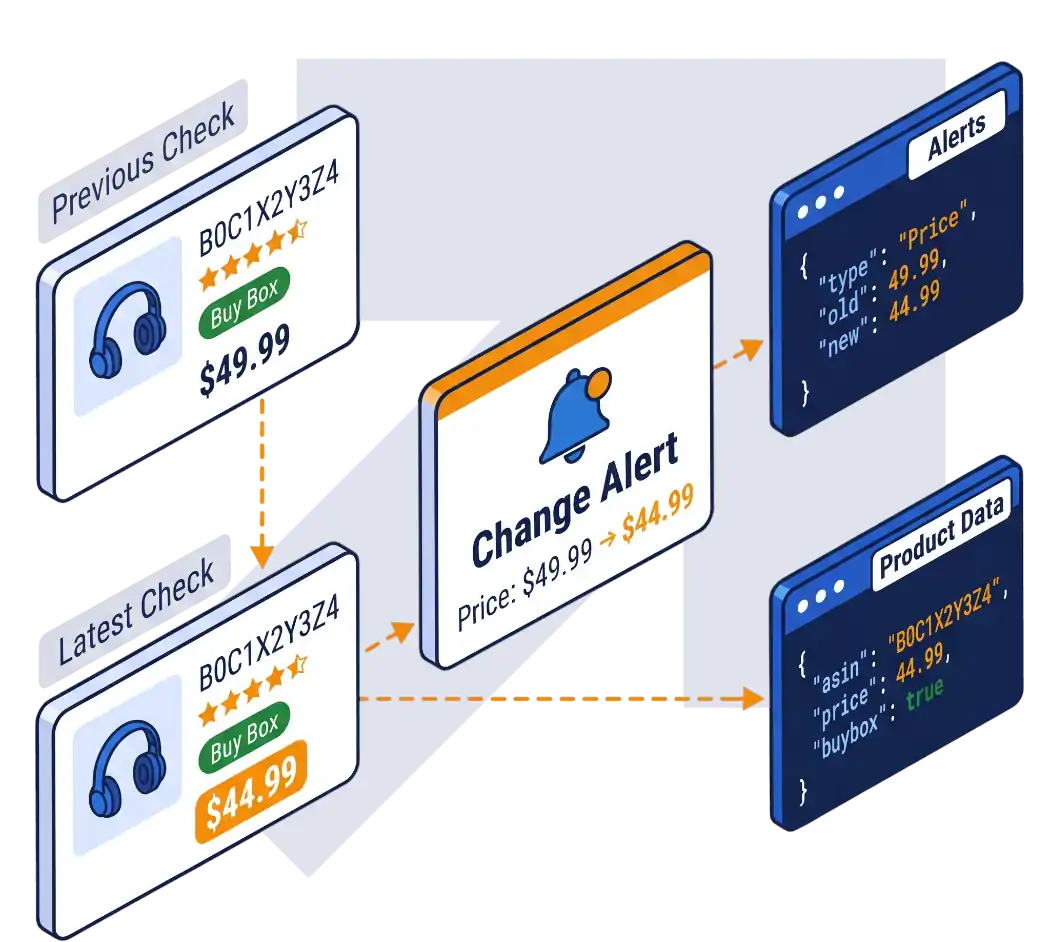
AmzMonitor compares each check with the previous one and records detected changes as alerts. Retrieve the alerts, or the product data from the latest check, through the API.

  • Product change alerts
    Listing content, search suppression, Buy Box, seller and offer, MAP price, Best Sellers Rank, new review and rating changes. Filter by ASIN, marketplace, alert type and day range.
  • Keyword ranking changes
    The previous and current page, position and rank in organic search, over up to 30 days. Prefer a ready-made dashboard? Use the Keyword Rank Tracker.
  • Product data snapshot
    Listing content, Buy Box and offers, Best Sellers Rank, badges, availability, rating, collected reviews and Customers Say from the latest check.
A price change between two checks returned as an alert and product data through the API
Collected Amazon monitoring data organized into reports and retrieved through the API
Reports

Retrieve Review and Customers Say Reports

Retrieve the reviews collected from monitored Amazon product pages, along with Customers Say summaries and return badges. This isn't a product's full review history. See the Review Report and the Customers Say Report for the same data on screen.

  • Reviews
    Retrieve collected reviews with reviewer details, review date, Vine status and review links. Filter by star rating and day range, or search ASINs, product titles and review text.
  • Customers Say
    Retrieve the latest Customers Say summary and find products that show a return badge.
  • More reports coming soon
    All AmzMonitor reports will soon be available through the API.
How It Works

How to Get Started with the AmzMonitor API

  1. 01

    Choose an API plan

    API access is available on the Diamond plan and higher custom plans.

  2. 02

    Create your API credentials

    Open the API tab under Settings and create your API credentials.

  3. 03

    Add ASINs and keywords

    Add them through the dashboard or the API. Choose a check interval between 2 and 24 hours.

  4. 04

    Retrieve your data

    Send API requests from your application and receive the collected data in JSON format.

AmzMonitor plans and pricing

API access is available on the Diamond plan and higher custom plans.

Check interval

Shorter intervals check your products more often. The ASIN count in each plan changes with the interval.

Free trial

Let's Meet

$12 /mo

Start Free Trial

No Credit Card Required. Try free for 14 days

ASIN Monitoring every 24h
20
Keyword Monitoring every 24h
40
Seller Monitoring every 24h
2
Notification Email Addresses
1
Team Members
–

Bronze

$20 /mo

Buy Now

30-Day Money Back Guarantee

ASIN Monitoring every 24h
50
Keyword Monitoring every 24h
100
Seller Monitoring every 24h
3
Notification Email Addresses
3
Team Members
1

Silver

$35 /mo

Buy Now

30-Day Money Back Guarantee

ASIN Monitoring every 24h
100
Keyword Monitoring every 24h
200
Seller Monitoring every 24h
5
Notification Email Addresses
5
Team Members
2
Best value

Gold

$60 /mo

Buy Now

30-Day Money Back Guarantee

ASIN Monitoring every 24h
300
Keyword Monitoring every 24h
400
Seller Monitoring every 24h
10
Notification Email Addresses
8
Team Members
4

Platinum

$110 /mo

Buy Now

30-Day Money Back Guarantee

ASIN Monitoring every 24h
600
Keyword Monitoring every 24h
1,000
Seller Monitoring every 24h
20
Notification Email Addresses
12
Team Members
6
API access

Diamond

$200 /mo

Buy Now

30-Day Money Back Guarantee

ASIN Monitoring every 24h
1200
Keyword Monitoring every 24h
2,000
Seller Monitoring every 24h
40
Notification Email Addresses
20
Team Members
10

Need more than Diamond? We'll build a custom plan for you. Contact sales

AmzMonitor API FAQ

You can get product data, alerts, keyword ranking changes, reviews and Customers Say data for the ASINs you monitor. You can also add, update and remove monitored ASINs and keywords.
Yes. They share the same ASIN and keyword limits as your dashboard, and your ASIN limit depends on the monitoring interval you choose. When a limit is reached, the API returns an error instead of adding the product or keyword.
No. AmzMonitor works with public product pages and doesn't connect to your Amazon account, so this data isn't available.
Yes, once you add it to monitoring and its first check is complete. It isn't a live lookup or a scraper API, so you can't request an ASIN you don't monitor.
No. The API returns the data from your latest check. Products are monitored every 2, 4, 8, 12 or 24 hours, at the interval you choose.
Yes. You get the reviews AmzMonitor has collected from your monitored product pages. Amazon chooses which reviews to show there, so this isn't a product's full review history.
No. The API covers Product Monitoring and Keyword Monitoring. You do get the sellers and offers on each monitored ASIN.
Not at the moment. You request the data from your own system, for example on a schedule.
The Diamond plan and higher custom plans. See plans and pricing.
Up to 100 requests per minute. Above that, the API returns HTTP 429 with a Retry-After header.

Put Your Amazon Monitoring Data to Work

Read the documentation, or find the plan that includes API access.