

Know When Your Keyword Rankings Move with Amazon Keyword Alerts

AmzMonitor monitors where your ASINs rank for your keywords once a day. When a position changes, you get a notification with the old and the new position, for your own products or competitor ASINs. Use keyword ranking data to make better decisions about your Amazon products.

  • No credit card required
  • Daily rank monitoring
  • 18 Amazon marketplaces
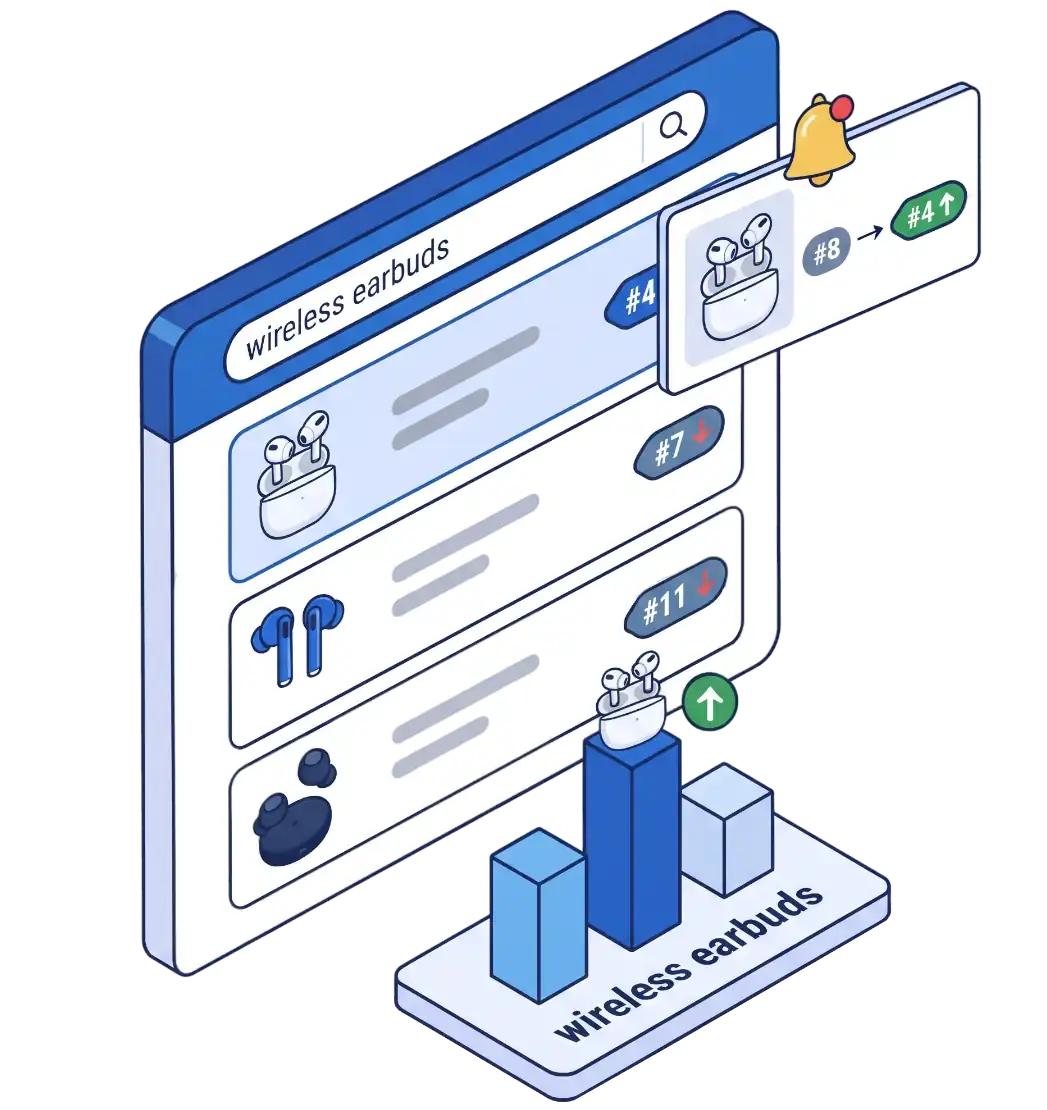
Amazon search results for wireless earbuds with an alert showing a product moving from position 8 to position 4
Alert Types

What Changes Trigger a Keyword Alert?

Each day, AmzMonitor compares an ASIN's organic position with the previous check. You get a notification with the old and the new position for every change.

Position goes up or down

Every position is a page and a sequence, the product's place on that page. A better position counts as an increase and a worse one as a decrease. There is no threshold, so even a single position shows up.

Enters or leaves the results

If an ASIN drops out of the results we monitor, you get a decrease alert. When it returns, you get an increase alert. The side where it wasn't found reads Not In List in the notification and Not Exist in your dashboard.

Notifications

See What Changed in One Notification

You don't get a separate message for each keyword. AmzMonitor collects the day's changes and sends one email at the time you choose.

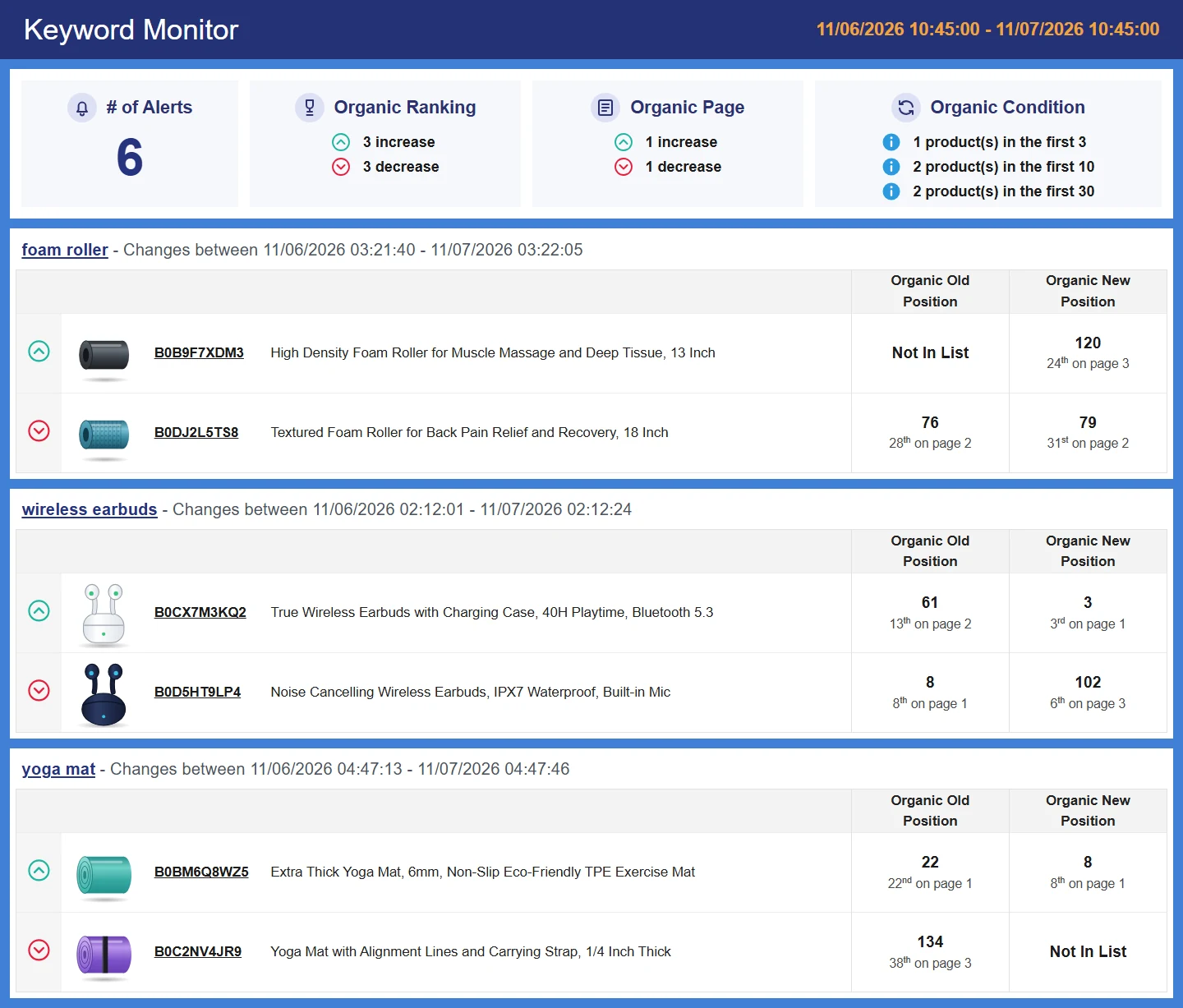
AmzMonitor daily keyword notification with the number of alerts, organic ranking and page changes, and old and new positions for each keyword
  1. 01

    A summary at the top

    The number of alerts, organic ranking and page changes up and down, and how many products sit in the first 3, 10 and 30 positions.

  2. 02

    A block for each keyword

    Every keyword with a change gets its own block, linked to its Amazon search. Each ASIN that moved shows its image, title, an up or down arrow, and its old and new position as a number and as a place on a page.

Organic Positions

Alerts Come from Organic Rankings, Not Ads

A sponsored placement doesn't change your position or trigger an alert, so what you see is your organic movement.

  • Organic only, with no threshold
    Sponsored results don't count: only your organic position is compared from one check to the next. There is no threshold, so any change enters your daily notification, even a single position.
  • The first check sets the baseline
    A new keyword has nothing to compare with, so alerts begin from the second check.
  • Every ASIN of a keyword in one chart
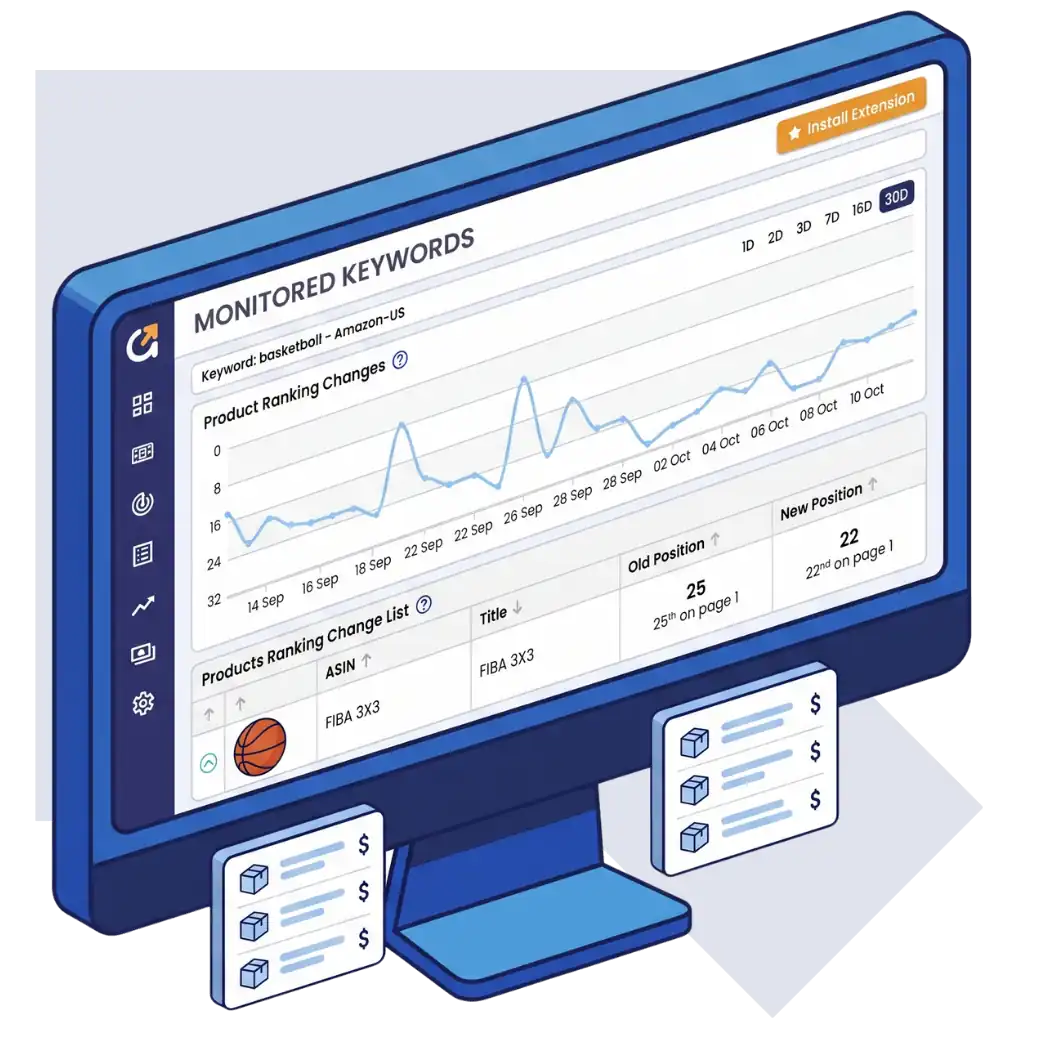
    Open a keyword to see all the ASINs linked to it and a chart of how their positions changed over the last 1, 2, 3, 7, 15 or 30 days.
Monitored keywords dashboard with a 30-day ranking chart and a list of product ranking changes with old and new positions
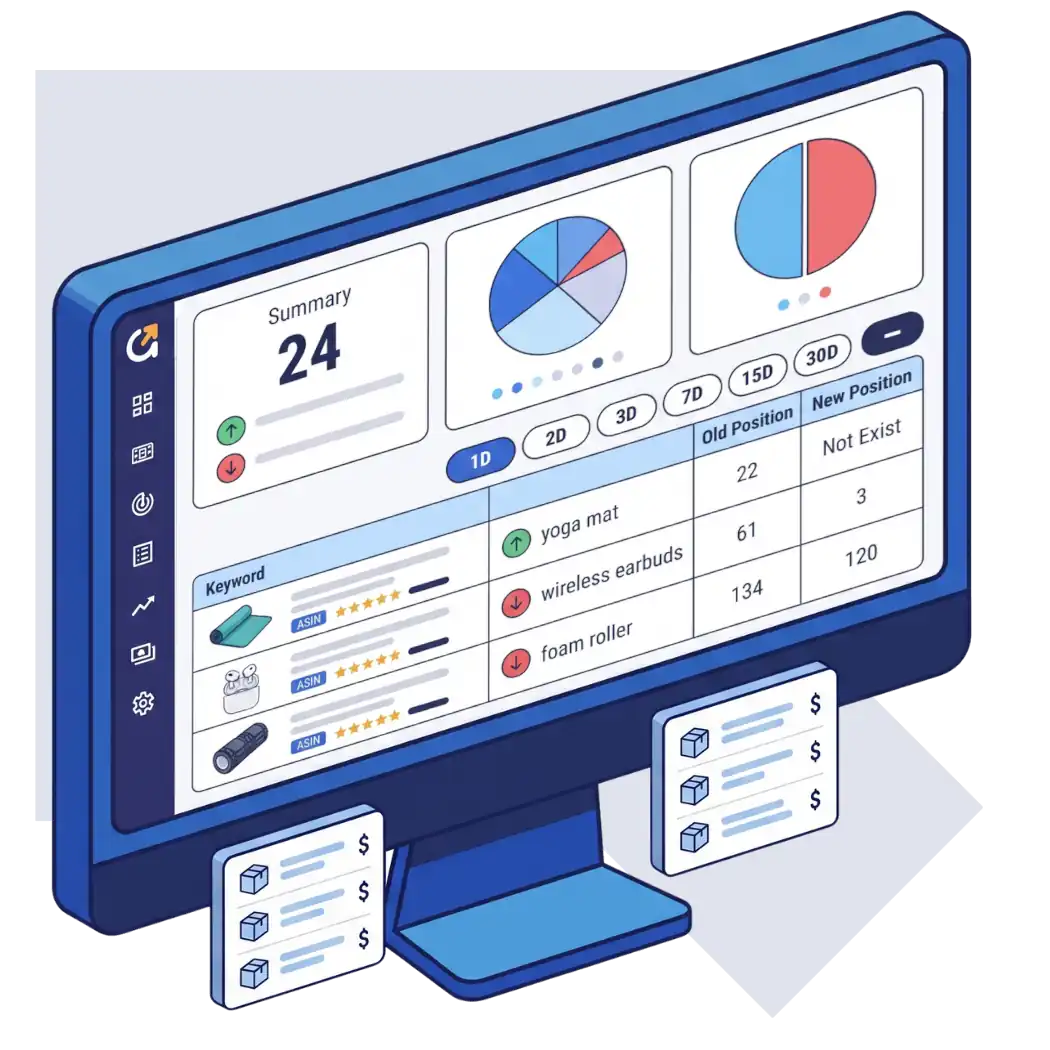
Keyword alerts dashboard on a monitor with a summary, two charts and a table of recent alerts with old and new positions
Alerts History

Review Every Keyword Alert in Your Dashboard

Every keyword alert is also saved in your dashboard, so you don't have to search your inbox.

  • Summary of the last day
    See the number of alerts, organic ranking and page changes up and down, and how many products sit in the top 3, 10 and 30.
  • Charts for your keywords
    Two charts show how your keywords spread across the 1st to the 5th page, after the 5th page and Not In Search List, and how many of your products have a keyword.
  • Recent alerts and daily reports
    Review keyword changes for the last 1, 2, 3, 7, 15 or 30 days, or open any date's notification as a table with the same data as the email.
  • Search and export
    Search by ASIN or title, jump to the keyword or the product, and export the list to Excel.
How It Works

How Amazon Keyword Alerts Work

  1. 01

    Add your ASIN

    Start monitoring the product, yours or a competitor's, in one of 18 marketplaces.

  2. 02

    Link your keywords

    Add up to 10 keywords per ASIN, one by one or in bulk with the Excel template.

  3. 03

    Set your notification

    Choose the send time and the email group in Alert Settings.

  4. 04

    Read what moved

    Get the day's changes, then review them in your dashboard.

AmzMonitor plans and pricing

Every plan includes keyword monitoring. Plans differ in how many keywords you can track, from 40 to 2,000.

Check interval

Shorter intervals check your products more often. The ASIN count in each plan changes with the interval.

Free trial

Let's Meet

$12 /mo

Start Free Trial

No Credit Card Required. Try free for 14 days

ASIN Monitoring every 24h
20
Keyword Monitoring every 24h
40
Seller Monitoring every 24h
2
Notification Email Addresses
1
Team Members
–

Bronze

$20 /mo

Buy Now

30-Day Money Back Guarantee

ASIN Monitoring every 24h
50
Keyword Monitoring every 24h
100
Seller Monitoring every 24h
3
Notification Email Addresses
3
Team Members
1

Silver

$35 /mo

Buy Now

30-Day Money Back Guarantee

ASIN Monitoring every 24h
100
Keyword Monitoring every 24h
200
Seller Monitoring every 24h
5
Notification Email Addresses
5
Team Members
2
Best value

Gold

$60 /mo

Buy Now

30-Day Money Back Guarantee

ASIN Monitoring every 24h
300
Keyword Monitoring every 24h
400
Seller Monitoring every 24h
10
Notification Email Addresses
8
Team Members
4

Platinum

$110 /mo

Buy Now

30-Day Money Back Guarantee

ASIN Monitoring every 24h
600
Keyword Monitoring every 24h
1,000
Seller Monitoring every 24h
20
Notification Email Addresses
12
Team Members
6
API access

Diamond

$200 /mo

Buy Now

30-Day Money Back Guarantee

ASIN Monitoring every 24h
1200
Keyword Monitoring every 24h
2,000
Seller Monitoring every 24h
40
Notification Email Addresses
20
Team Members
10

Need more than Diamond? We'll build a custom plan for you. Contact sales

Amazon Keyword Alerts FAQ

Once a day, so keyword alerts are daily, not instant.
No. There is no threshold for keyword alerts. Any change in position is saved as an alert and enters your daily notification.
No. Alerts come from organic positions only.
The first check only records the starting position. Alerts begin when a later check finds a different position.
The ASIN wasn't found in the results we checked for that keyword.
Yes. Clear Send Notification Emails on that keyword. It stays monitored, and you can still follow it in your dashboard.
Yes. Add the competitor's ASIN and link your keywords to it. To follow a seller's whole store, use Seller Alerts.
Up to 10 per ASIN. The total depends on your plan, from 40 to 2,000 keywords.

Start Getting Amazon Keyword Alerts Today

14-day free trial. No credit card required.