

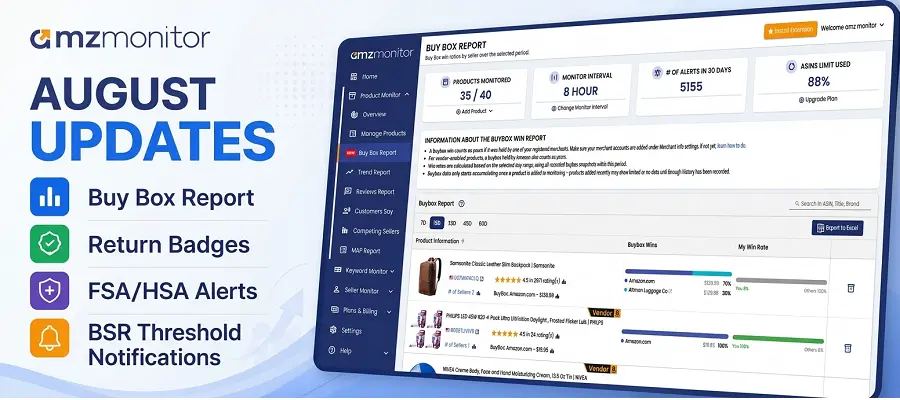
We've added several new monitoring and reporting capabilities to AmzMonitor to help you better understand your Amazon products, track important listing changes, and have more control over the notifications you receive.
With the latest updates, you can now analyze historical Buy Box performance, monitor Amazon's return-related badges, get alerts when the FSA/HSA Eligible badge changes, and reduce unnecessary Best Seller Rank notifications.
Buy Box Report Is Now Available
You can now find a dedicated Buy Box Report in AmzMonitor.
Instead of looking at individual Buy Box changes one product at a time, the new report brings the Buy Box snapshots collected from your monitored ASINs together in one place.
For each product, you can see:
- Which sellers won the Buy Box during the selected period
- The percentage of Buy Box snapshots won by each seller
- Your My Win Rate
- The current Buy Box seller
- The current Buy Box price
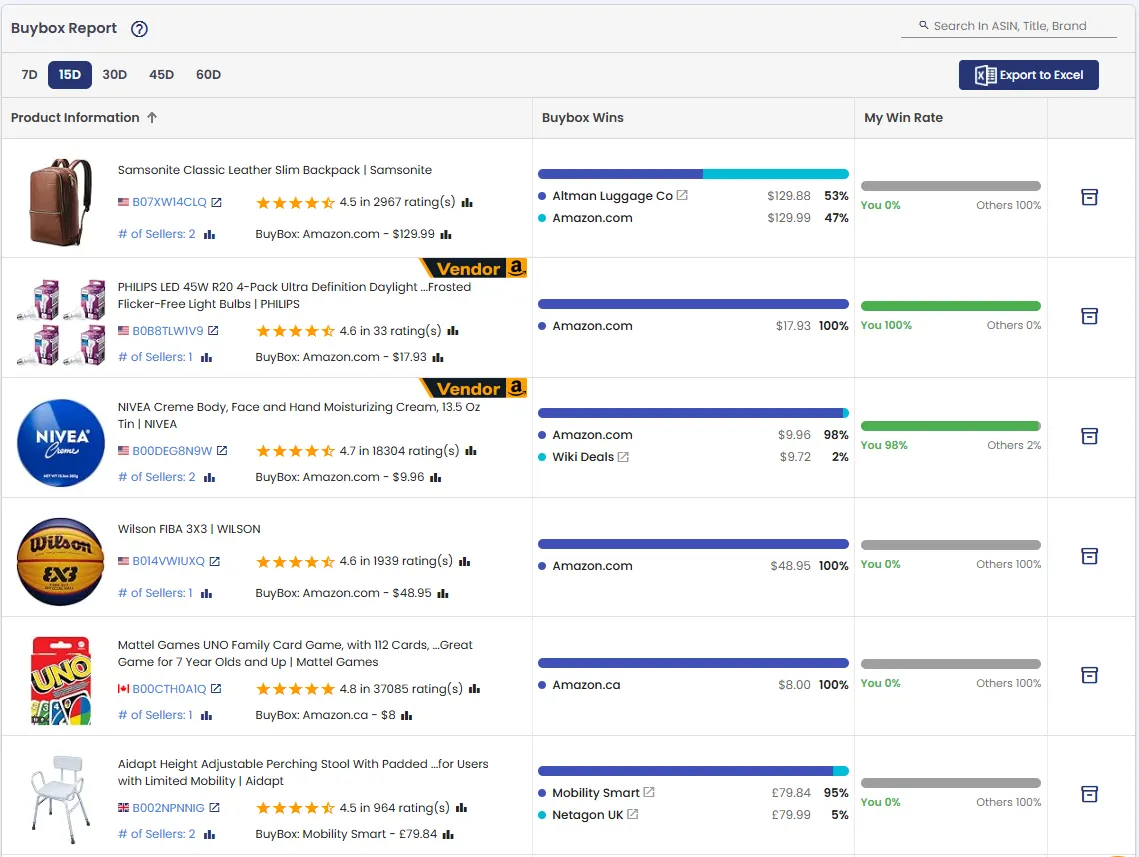
You can analyze Buy Box performance over different periods:
- 7 days
- 15 days
- 30 days
- 45 days
- 60 days
This makes it easier to identify products where you're consistently winning the Buy Box and products where competitors have started taking a larger share.
You can also export the Buy Box Report to Excel for additional analysis, reporting, or sharing the data with your team.
The report uses the Buy Box snapshots collected through product monitoring. Newly added products will therefore gradually build their Buy Box history as AmzMonitor continues monitoring them.
Learn more about the Amazon Buy Box Report →
Return Badges Are Now Monitored
Amazon displays return-related badges on product listings based on return performance. These badges can directly influence customer purchase decisions, making it important for sellers to know when they appear or disappear.
AmzMonitor now monitors these badges:
- Frequently Returned Item
- Customers Usually Keep This Item
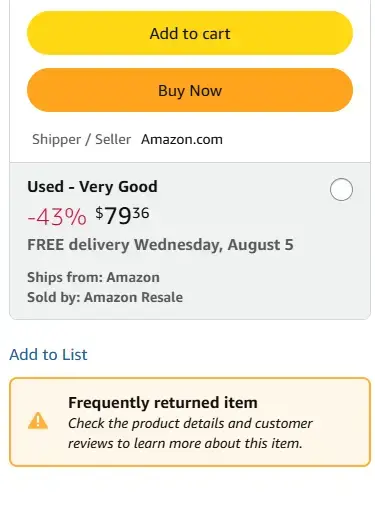
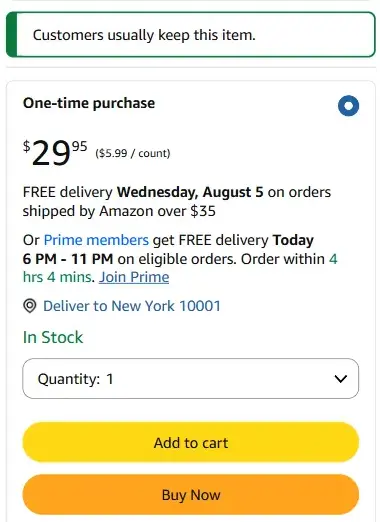
If one of these badges appears or disappears on a monitored product, AmzMonitor can generate an alert.
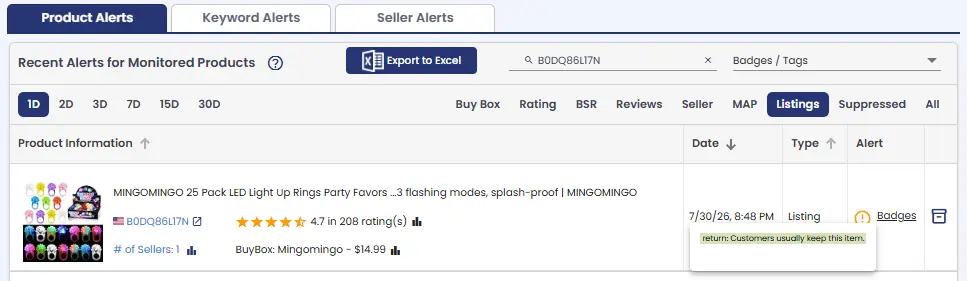
This means you don't need to manually check your product listings to find out whether Amazon has added or removed one of these return-related badges.
Get Email Notifications for Badge Changes
Return badges are included in the Badges notification trigger.
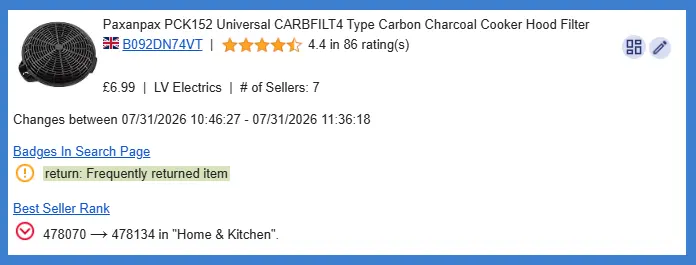
If you want to receive email notifications when monitored badges change, make sure Badges is enabled in your notification trigger settings.
See Return Badges in Customers Say
We've also added return badges to the Customers Say Report.
This gives you another way to look at return-related badges alongside customer feedback.
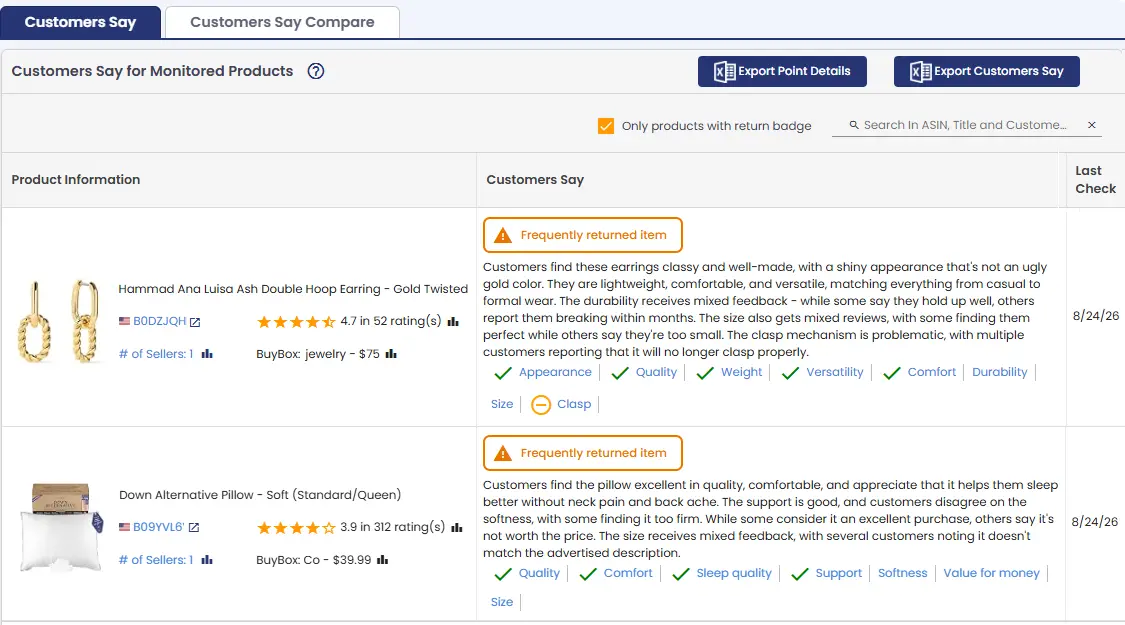
If a product receives a Frequently Returned Item badge while customers are repeatedly mentioning the same issue in their feedback, you may be able to identify a potential reason behind the returns and take action on the listing or product.
Read our blog post about Amazon Return Rate Badges →
FSA/HSA Eligible Badge Changes Now Trigger Alerts
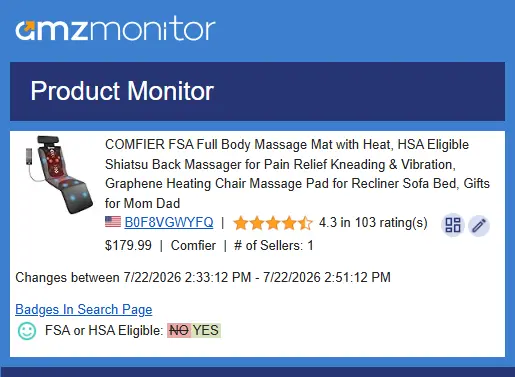
AmzMonitor can now detect changes to Amazon's FSA/HSA Eligible badge.
If the badge appears or disappears on one of your monitored products, AmzMonitor can generate an alert so you can review the change.
This is especially useful if you monitor products where FSA/HSA eligibility is an important part of the listing.
The alert is available through the Badges notification trigger. Make sure Badges are enabled if you want to receive email notifications for these changes.
Read our blog post about FSA/HSA Eligible badge →
Set a Best Seller Rank Notification Threshold
If you monitor a large number of products, you may not want to receive a notification for every Best Seller Rank change.
You can now set a Best Seller Rank threshold to control which ranking changes generate notifications.
For example, if you only care about products reaching a BSR below a certain number, you can configure the threshold accordingly.
This helps reduce notification noise and keeps you focused on the ranking changes that are more relevant to you.
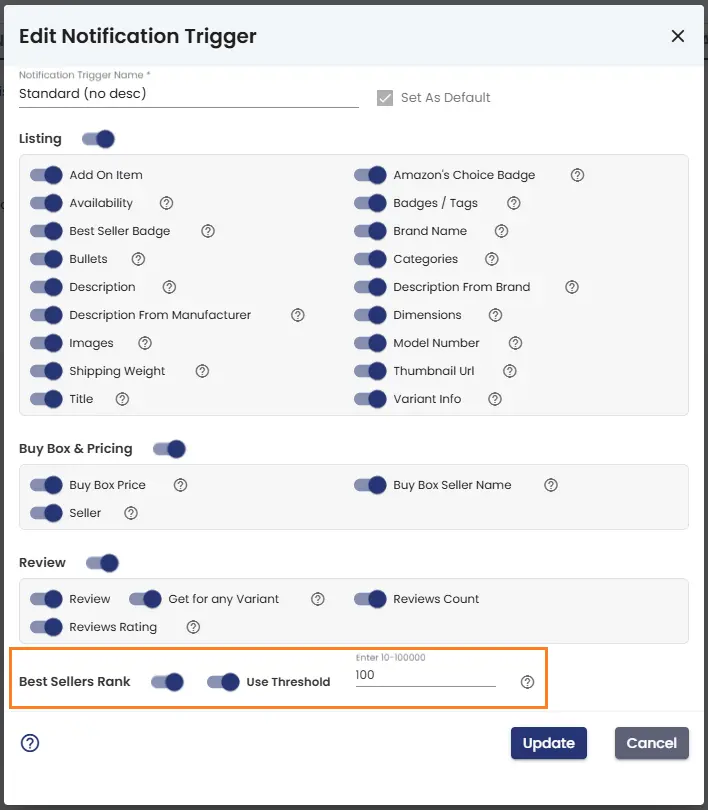
You can configure this in the Product Notification Triggers settings under Settings.
More Useful Signals, Better Notifications
These updates are part of our ongoing effort to make AmzMonitor more useful for day-to-day Amazon monitoring.
You can now use AmzMonitor to:
- Analyze Buy Box performance over time
- Compare your Buy Box win rate with competing sellers
- Detect changes to Amazon return-related badges
- Monitor FSA/HSA eligibility changes
- Connect return badges with customer feedback
- Control which Best Seller Rank changes trigger notifications
These features work together with the monitoring data you're already collecting in AmzMonitor, giving you more useful signals without requiring you to manually check your listings every day.
We'll continue improving the monitoring system and adding more signals that can help you identify important changes and act on them faster.
Leave your feedback about the blog and AmzMonitor services.