

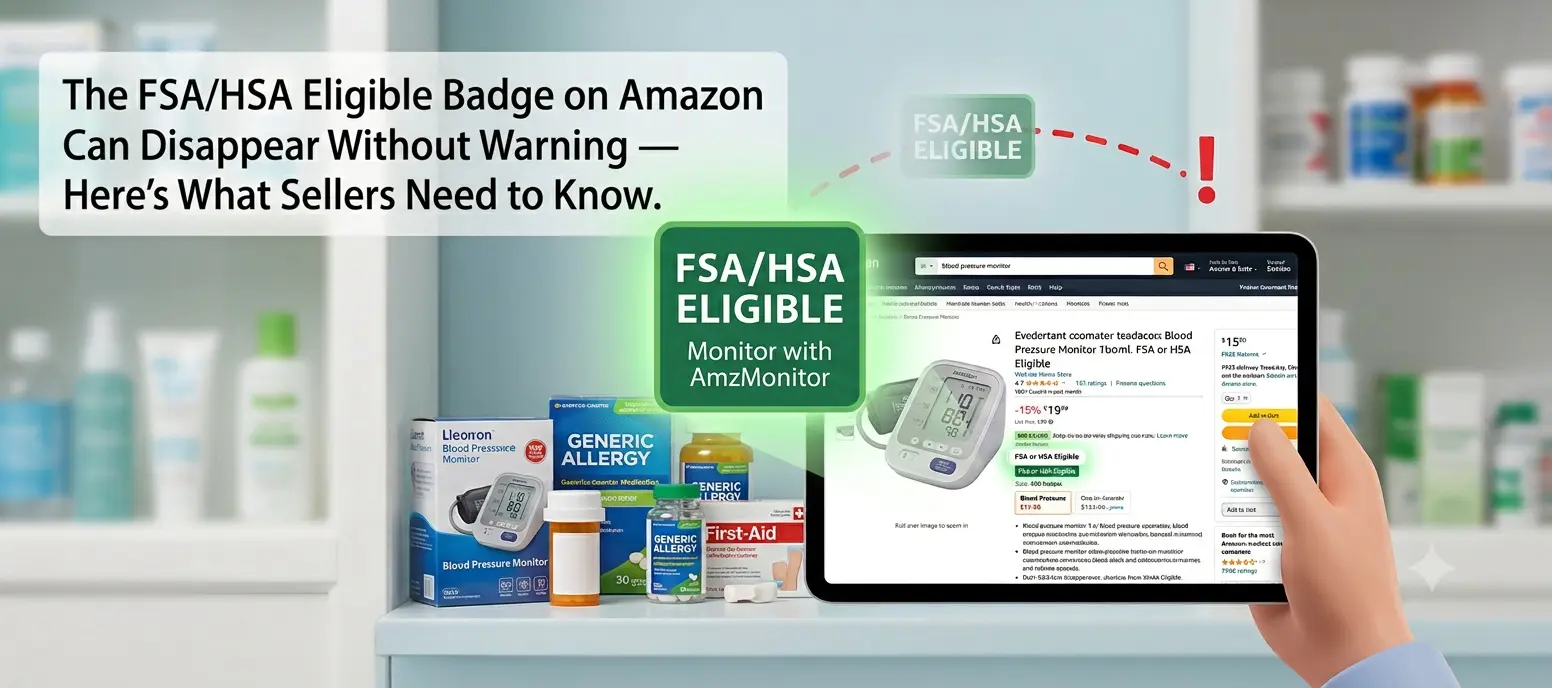
If you sell health, wellness, or medical supply products on Amazon, you've probably seen a small badge on certain listings: "FSA or HSA Eligible." It looks minor. It isn't. For sellers in this category, it's one of the highest-leverage details on the entire page — and it can disappear without any warning at all.
Unlike a price change or a review, a lost eligibility badge doesn't show up in your normal sales dashboard. It just quietly stops converting the way it used to, and most sellers don't find out until the damage is already done.
What Amazon's FSA/HSA Eligible Badge Actually Means
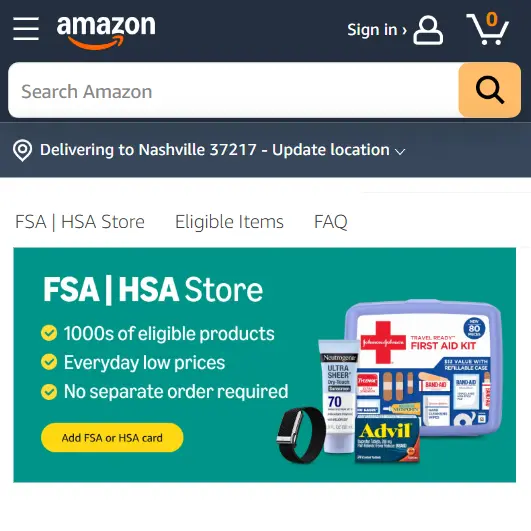
FSA and HSA accounts let U.S. shoppers set aside pre-tax dollars for qualified medical expenses. Not every product qualifies — retailers rely on third-party eligibility engines, most commonly built around the SIGIS (Special Interest Group for IIAS Standards) eligible product list, to determine which SKUs count.
When a product is verified as eligible, Amazon shows the "FSA or HSA Eligible" badge on the product page and in search results, and shoppers can pay with an FSA/HSA-linked card — including at Amazon checkout — without touching their regular bank account.
Why This Badge Matters So Much for Sellers
It's easy to underestimate a small badge, but the numbers behind FSA/HSA spending aren't small. Tens of millions of Americans hold an FSA or HSA account, and unused FSA funds typically expire at the end of the plan year — creating a strong "use it or lose it" purchasing push, especially in Q4.
Shoppers actively filter for FSA/HSA eligible products on Amazon, meaning the badge doesn't just build trust — it puts your listing directly in front of buyers who are already looking for it. Listings with the badge tend to convert meaningfully better than visually identical ones without it, simply because the payment friction is removed.
For many health and wellness categories, this badge is a core part of the value proposition — sometimes more influential than price.
How Sellers Lose the Badge (Often Without Noticing)
Eligibility status is not permanent, and changes to it are rarely loud or obvious. The most common triggers:
- Category or browse node changes. A reclassification — even a small one — can move your product outside the criteria the eligibility engine uses, with nothing about the physical product changing.
- Listing content edits. Updating your title, bullets, or description can trigger a re-evaluation. The exact phrase that supported the medical-use classification can get removed during a routine copy refresh.
- Periodic re-reviews. Eligibility databases refresh on their own schedule. Your product can lose eligibility purely because upstream reference data changed — with zero action taken on your listing.
- Bundling or variation changes. Adding a variation or bundling with a non-eligible accessory can affect the whole listing, since the engine evaluates the ASIN as a whole.
- Third-party compliance updates. A policy change made upstream, entirely outside Amazon, can ripple down to your listing with no visible trigger on your end.
The common thread: the change is rarely something you did intentionally, and it almost never comes with a direct notification pointing at the specific listing affected.
What a Silent Badge Loss Looks Like
Consider a seller listing a home blood pressure monitor. The badge has been live for over a year and is one of the listing's top conversion drivers. A small bullet-point edit goes out to improve keyword coverage — and days later, the eligibility engine re-evaluates the listing and the badge disappears. Nothing else changed. No email arrived. No dashboard warning appeared.
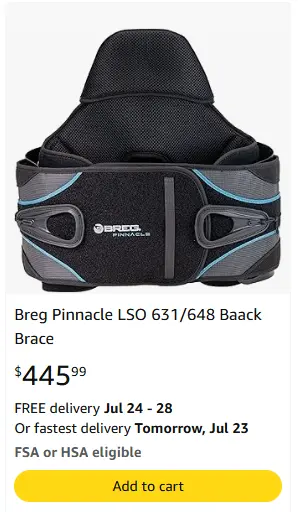
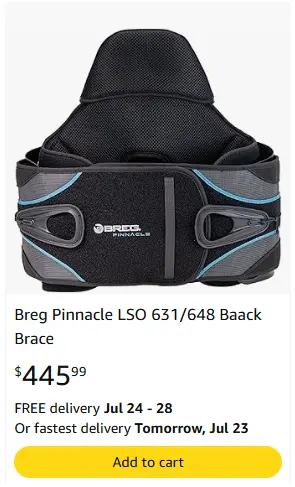
Sales dip over the following weeks, but the seller assumes it's normal fluctuation or a competitor's price move — anything but the real cause. By the time someone opens the listing and notices the badge is gone, a large share of the Q4 "use it before you lose it" FSA rush has already passed.
The Real Cost of Not Knowing
This is where most sellers get hurt — not by losing the badge itself, but by not knowing they lost it. During that undetected window:
- Conversion rate drops silently, with no obvious explanation in your normal sales dashboard
- Ad spend keeps flowing to a listing that just became measurably less competitive
- Returning FSA/HSA customers may not realize they can't use their card until checkout — creating cart abandonment you can't easily diagnose
- By the time you notice the dip and think to check the badge, you've often already lost weeks of the seasonal buying window
For a single SKU, that's frustrating. For a catalog with dozens or hundreds of eligible listings, manually checking each one on a regular basis simply isn't realistic.
How AmzMonitor Helps
AmzMonitor continuously tracks FSA/HSA Eligible badge status across your monitored ASINs. The moment the badge appears or disappears on a listing, you receive an alert with the affected SKU, the previous status, the current status, and a timestamp.

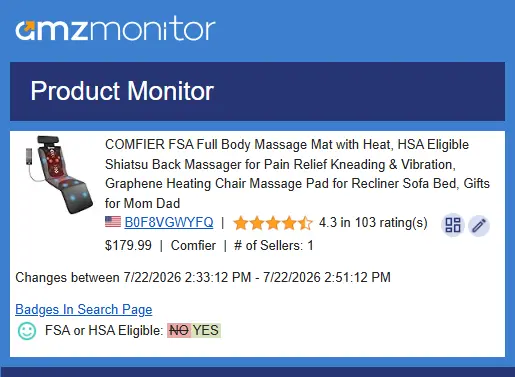
Badge monitoring has always mattered for sellers in health and wellness categories. Without it, a change that costs you real sales can sit undetected for weeks. With it, you find out the moment it happens — with enough detail to act immediately instead of investigating a mystery sales drop.
It's Not Just the Badge — Track Your Whole Listing
The FSA/HSA Eligible badge is rarely the only thing changing on a listing without your knowledge. In practice, it's one field among many that can shift silently — a title edit, a price change, a swapped main image, a new buy box winner, a stock-out, a modified bullet point, or a new negative review can all happen the same way: quietly, and without a direct notification pointing at the specific ASIN.
What makes this especially relevant for FSA/HSA eligibility is that the badge rarely changes in isolation — it's usually a side effect of another field shifting first. A few of the fields AmzMonitor tracks are worth watching closely for exactly this reason, since a change to any of them can be the hidden trigger behind a lost badge:
- Categories — a browse node reclassification can move your listing outside the criteria the eligibility engine checks for
- Title, Bullets, and Description — a routine copy refresh can remove the exact phrase that supported your product's medical-use classification
- Variant Info — adding, removing, or restructuring variations can change how the whole ASIN is evaluated for eligibility
- Badges / Tags — where the FSA/HSA Eligible status itself is tracked, alongside other deal and eligibility badges on the listing
AmzMonitor tracks all of these fields — and more — on your monitored ASINs at once, not just the FSA/HSA badge. That means a single dashboard where you can see, for every listing, changes across title, bullets, description, categories, images, thumbnail, variant info, buy box, pricing, availability, and reviews. You can find the full list of every field AmzMonitor monitors, along with what triggers an alert for each one, on our Monitored Fields page.
Instead of monitoring the FSA/HSA badge in isolation and hoping nothing else changes unnoticed, sellers can put one monitoring layer over the entire listing — and get a single alert stream covering everything that matters to their conversion rate and revenue.
Frequently Asked Questions
The Bottom Line
The FSA/HSA Eligible badge is one of the more overlooked details on Amazon that can carry outsized weight for your conversion rate — especially in health, wellness, and medical supply categories. The problem isn't the badge itself; it's the fact that it can vanish silently, and by the time you notice the sales impact, you've already lost valuable time.
If you're selling in this space, the real question isn't whether your badge status will ever change — it's whether you'll find out the moment it does, or weeks later when the damage is already done.