

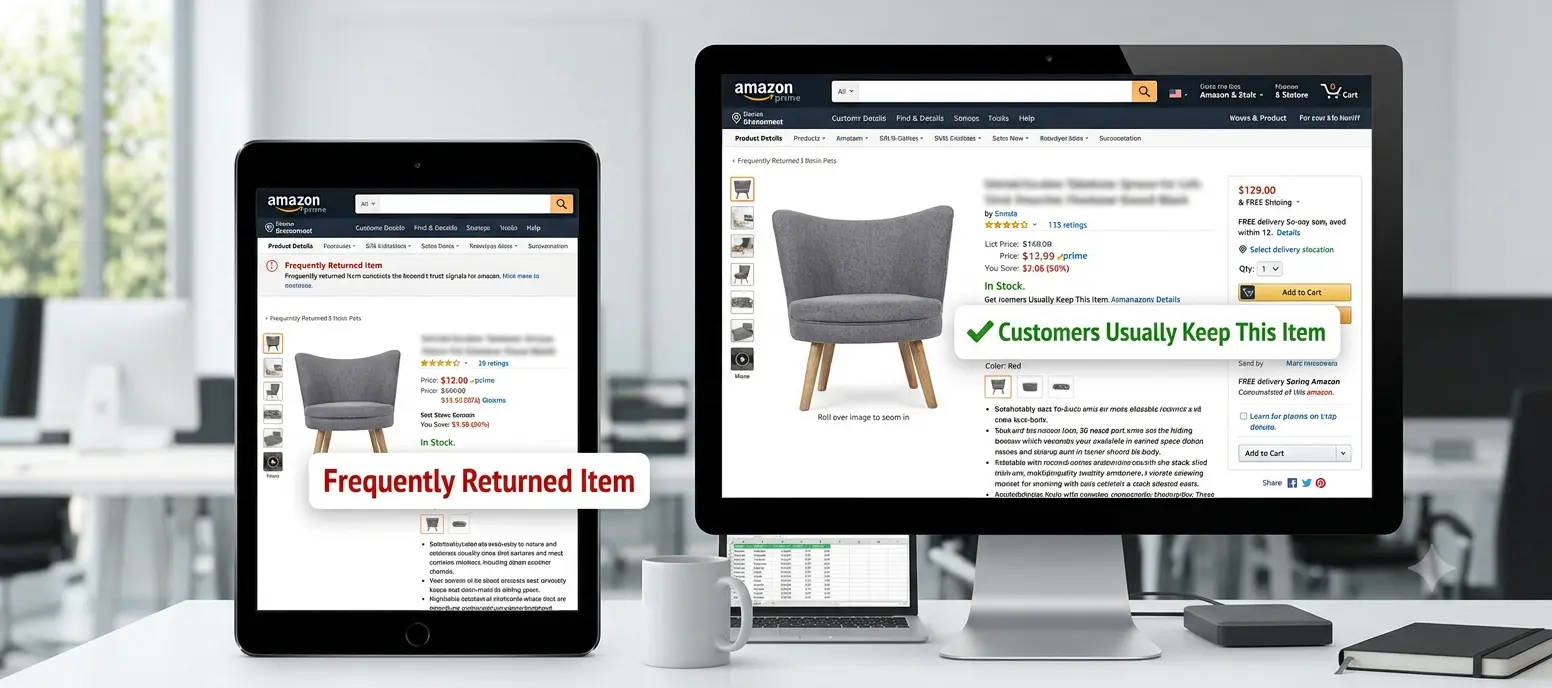
If you sell on Amazon, you've probably noticed two small but powerful labels showing up right above the Add to Cart button on certain listings: the red "Frequently returned item" warning and the green "Customers usually keep this item" badge. They look like minor UI details. They aren't. For sellers, these badges sit at one of the most decision-critical spots on the entire page — and they can appear or disappear without any direct notification pointing at the specific ASIN affected.
Unlike a price change or a new review, a badge change doesn't show up in your normal sales dashboard. It just quietly starts (or stops) converting the way it used to, and most sellers only notice after the damage is already visible in their numbers.
What Is the "Frequently Returned Item" Badge?
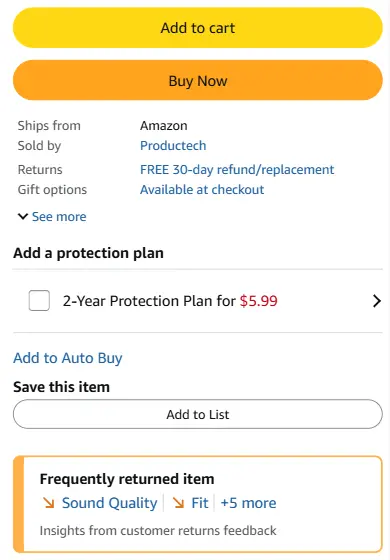
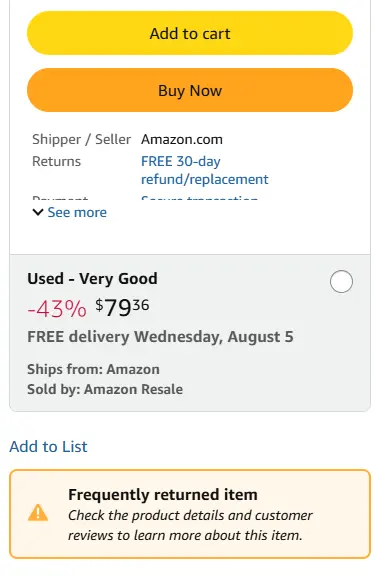
Amazon displays this warning on listings whose return rate is significantly higher than similar products in the same category. Rollout has been gradual and the exact timing has varied by marketplace and category. Rather than relying on reviews alone, Amazon uses actual return data to decide which listings get flagged, and encourages shoppers to check product details and reviews before buying — right at the moment they'd otherwise be clicking "Add to Cart."
What Does "Customers Usually Keep This Item" Mean?
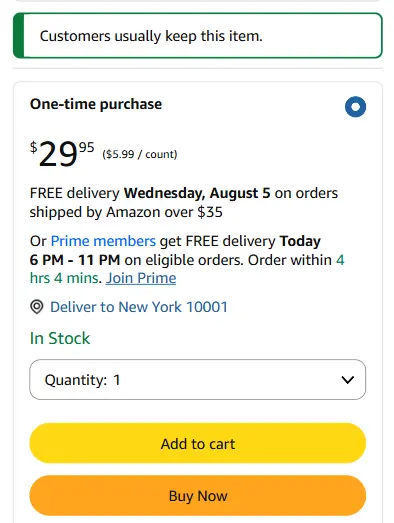
This green badge is the mirror image: it signals that a product's return rate sits meaningfully below the category average. It's a genuine trust signal, but it's placed lower on the page and styled with far less visual weight than the red warning — so while it helps build confidence, it doesn't move the needle on conversion nearly as much as its negative counterpart hurts it.
Why These Badges Matter So Much
A visible return warning can lower shopper confidence before a customer even scrolls to the reviews, and sellers commonly report conversion drops in the 25–50% range within days of the badge appearing. That drop doesn't stay contained to conversion alone — it can set off a chain reaction:
Amazon hasn't published official conversion statistics tied to the badge, but the pattern above is consistent with what sellers describe once it appears on a listing.
Can You Remove the Badge?
Yes — but there's no appeal button. Amazon removes the "Frequently Returned Item" badge automatically, and only after your return rate has improved and stayed below the category threshold for a sustained period, typically around 30 consecutive days. There's no manual override, which makes early detection especially valuable: the sooner you spot the badge, the sooner the clock on recovery can start.
Common Root Causes
The badge itself isn't the problem — it's the symptom. The most frequent underlying causes include:
- Misleading or unclear product images
- Inaccurate titles, bullet points, or sizing information that conflict with Amazon's Product Detail Page rules
- Expectation mismatches between the listing and the physical product
- Quality-control issues or inconsistent batches
- Shipping damage from inadequate packaging
- Incorrect or confusing product variations
How to Reduce the Risk
No seller can eliminate returns entirely, but a few habits meaningfully lower the risk of getting flagged:
- Audit your listing regularly. Make sure your title, images, bullets, A+ Content, and description all accurately represent the product as it actually ships.
- Monitor customer reviews. Repeated complaints about the same issue are usually an early warning sign that shows up well before the return rate does.
- Invest in packaging. Returns caused by transit damage are often the easiest category to fix with better protective packaging.
- Watch Voice of the Customer. Seller Central's Voice of the Customer dashboard shows your current return rate next to the category threshold — keeping a one-to-two-point buffer below it is far easier than recovering after the badge is already live.
Does Amazon Notify Sellers?
Not reliably. Many sellers only discover the badge after noticing a sales dip or manually opening the product page. If you manage dozens — or hundreds — of ASINs, checking each one by hand isn't realistic, and the badge can appear literally overnight. Amazon's own Seller Central Returns help pages cover how return requests and refunds are processed, but they don't proactively flag badge changes on your listings — that part is on you to monitor.
How AmzMonitor Tracks Return Badges
This is exactly where AmzMonitor helps. AmzMonitor continuously monitors your tracked ASINs and sends an instant alert the moment:
- "Frequently Returned Item" appears
- "Frequently Returned Item" disappears
- "Customers Usually Keep This Item" is added
- "Customers Usually Keep This Item" is removed
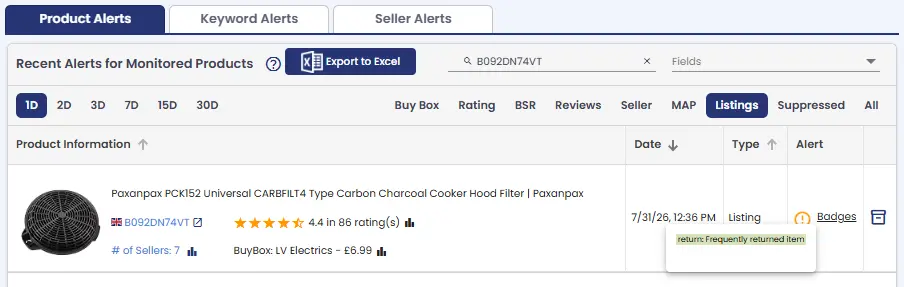
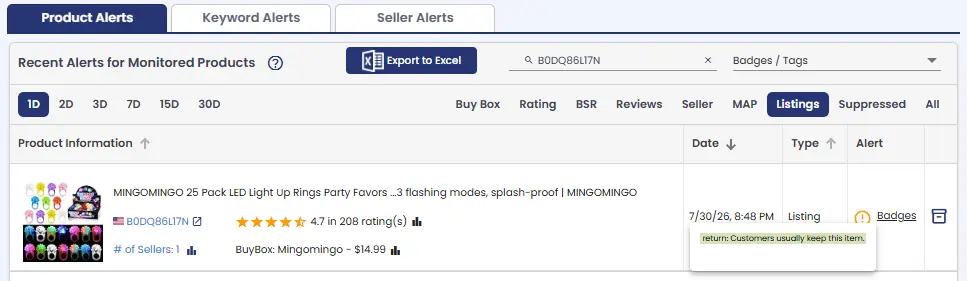
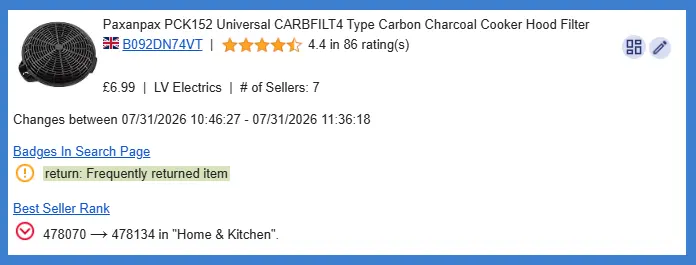
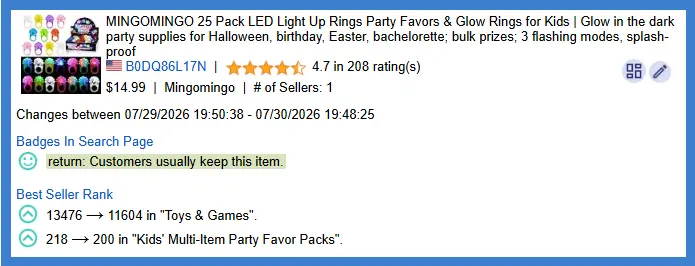
Instead of discovering the issue days or weeks later through a falling sales chart, you know as soon as Amazon changes the product page — with enough detail to act immediately instead of investigating a mystery sales drop.
Why Watching Competitor Badges Matters Too
These badges aren't only worth tracking on your own catalog. If a competing ASIN suddenly picks up the "Frequently Returned Item" warning while your product stays clean, that can be the ideal moment to lean into advertising or highlight reliability in your listing copy. Likewise, if your own product earns "Customers Usually Keep This Item," it's a trust signal worth protecting and promoting.
It's Not Just the Badge — Track Your Whole Listing
Return badges rarely change in isolation — they're often a side effect of something else shifting first: a bullet-point rewrite, a swapped main image, a new Buy Box winner, a stock-out, or a wave of new reviews. Instead of monitoring badges alone, AmzMonitor's Amazon Product Monitoring tracks all of these listing changes from a single dashboard. A few of the most important fields include:
- Badges / Tags — where "Frequently Returned Item" and "Customers Usually Keep This Item" are tracked directly, alongside other deal and eligibility badges on the listing
- Reviews & Ratings — a spike in negative reviews often precedes a return-rate increase
- Title, Bullets, and Description — a copy refresh can shift customer expectations and, indirectly, return behavior
- Buy Box — losing the Buy Box can mask or distort what's actually driving a conversion change
AmzMonitor tracks all of these fields — and more — on your monitored ASINs at once, not just return badges. That means a single dashboard where you can see, for every listing, changes across title, bullets, description, images, buy box, pricing, availability, and reviews. You can find the full list of every field AmzMonitor monitors, along with what triggers an alert for each one, on our Monitored Fields page.
Frequently Asked Questions
Does every shopper see these badges?
Can I request Amazon to remove the "Frequently Returned Item" badge?
Do these badges affect Amazon SEO directly?
Will Amazon notify me if my listing gets flagged?
Can AmzMonitor track both badges?
The Bottom Line
Return badges have become one of the most influential trust signals on the Amazon product page — powerful enough to shift purchasing decisions before a customer ever reaches the reviews. Whether you're protecting your own listings or watching for opportunities on competitors', early awareness is what makes the difference. By the time a sales dip is obvious in your reports, the badge may have already been live for days.
AmzMonitor keeps watch on these badges across your entire catalog and alerts you the moment anything changes — so you can act before a temporary issue turns into a long-term performance problem.