

If you sell on Amazon, you already watch your own listings closely. Prices, stock, reviews, Buy Box status — you check these because they move your revenue. But most sellers pay far less attention to the sellers around them, and that is usually where the surprises come from: a competitor quietly drops their price on a shared product, a supplier's other reseller switches from FBM to FBA and starts winning more Buy Box, or a storefront that used to carry fifty products suddenly carries three hundred. By the time you notice, the opportunity or the threat has already played out.
We rebuilt Seller Monitoring in AmzMonitor to close that gap. It is not a new idea — tracking a competitor's storefront has always been part of the product — but the way it works, the data it captures, and the way that data is presented have all changed enough that it is worth walking through from the ground up, especially if you set it up a while ago and have not looked at it since.
What Seller Monitoring Actually Does
Seller Monitoring watches a specific Amazon seller's storefront on your behalf and tells you what changed, every day, without you having to open their page and compare it to what you remember from yesterday. You add a seller by their Amazon Merchant ID and marketplace, optionally narrowed to a single brand if you only care about part of what they sell, and AmzMonitor takes it from there.
Once a seller is being tracked, AmzMonitor records a full snapshot of their promoted products once every 24 hours: price, stock status, fulfillment method, star rating, badges, and active coupons for every item in scope. The next day's snapshot is compared against the previous one, and anything that differs — a price that moved, a product that vanished from the storefront, a new listing that appeared — is flagged and rolled into a daily alert email. You are not looking at raw data dumps; you are looking at a diff, the same way you would review a code change, except the "code" here is a competitor's catalog.
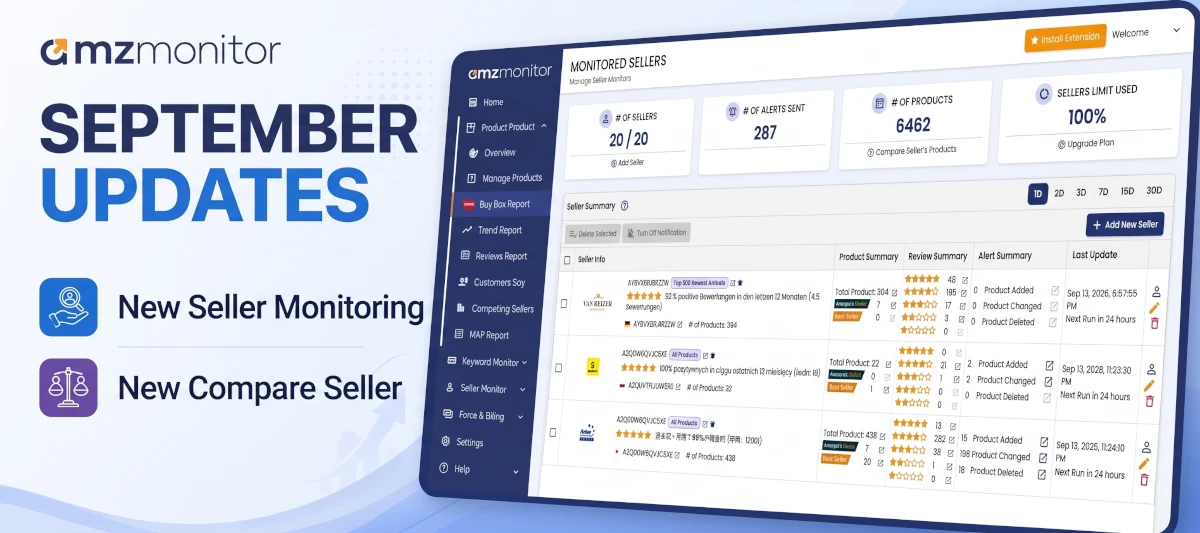
A Quick Summary of What's New
Before getting into the details, here is the short version of what changed in this update:
- Sellers are no longer tracked one single way — you now choose the scope per seller, such as Top 300 Best Sellers, instead of one fixed setup for everyone.
- Within that scope, AmzMonitor now also tracks each product's position, so you can see where it ranks, not just that it is being carried.
- The "bought in past month" figure Amazon shows on listings is now captured as well.
- Badge changes and active coupons are now part of what gets tracked and alerted on.
- The Seller Compare Report is more advanced, bringing catalog overlap, price positioning, and the full product comparison table together on one page.
- The daily alert email itself has been redesigned to be clearer and to surface more of the underlying data at a glance, instead of just a short list of changes.
Choosing the Right Tracking Scope for Each Seller
Not every seller you want to keep an eye on deserves the same level of scrutiny, and treating them all the same is one of the more common mistakes we see. A five-hundred-SKU wholesaler and a three-product private label competitor do not need to be monitored the same way, so the scope is configurable per seller rather than being a single global setting.
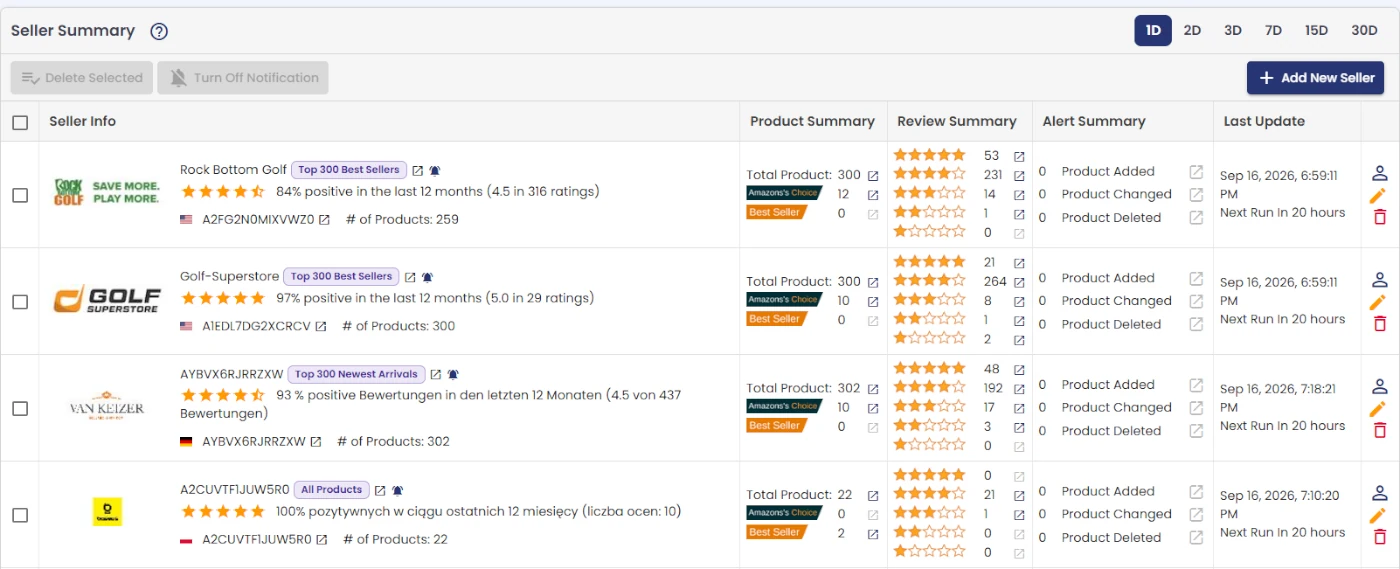
When you add a seller, you choose what part of their storefront to follow:
- Top 300 Best Sellers — the 300 products currently ranking as the seller's best sellers. This is usually the right default, because it follows what is actually driving their business rather than everything they happen to have listed.
- Top 300 Newest Arrivals — the 300 most recently added products. Useful when what you actually care about is catching a new launch the moment it goes live, not the seller's established catalog.
- Top 300 Best Rated — the 300 highest-rated products on the storefront. This scope is less about volume and more about reputation: it surfaces what is winning on trust and repeat purchases, which is not always the same as what is winning on rank.
- All Products — the seller's entire promoted catalog, up to 1,500 products, for when you genuinely need the full picture and are prepared for the higher volume of daily changes that comes with it.
A practical rule of thumb: start narrow. If you are tracking a large marketplace seller mainly to know when they touch the handful of ASINs you compete on directly, Top 300 Best Sellers or even a brand filter will keep your alerts relevant. Switching to All Products for every seller you monitor tends to produce so much daily noise that people stop reading the emails altogether, which defeats the purpose. You can always widen the scope later if a seller turns out to be more relevant than you expected.
The brand filter is worth calling out on its own, because it is easy to overlook. If you are watching a large distributor or wholesaler who carries dozens of brands but you only sell one of them, narrowing the tracked seller down to that brand means every alert you receive is actually about the products you compete on, instead of being diluted by changes to product lines that have nothing to do with you. It is a small setup step that saves a lot of scrolling later.
What Triggers a Daily Alert
An alert is not just "something changed." AmzMonitor tracks a specific set of signals that tend to matter for competitive and sourcing decisions, and each one is broken out separately in the report rather than buried in a generic changelog:
- New and removed products — a product entering or dropping out of the tracked scope. This is often the earliest signal of a new launch, a discontinued line, or a supplier relationship ending.
- Price changes — every price move on a tracked product, caught the day it happens rather than whenever you next happen to check manually.
- Stock and fulfillment changes — a product going out of stock, or a seller switching a listing between FBA and FBM. A fulfillment switch in particular is worth paying attention to, since it usually signals a change in how seriously that seller is investing in Buy Box competitiveness on that ASIN.
- Badges, coupons, and ratings — Amazon's Choice and Best Seller badge changes, active coupons appearing or expiring, and shifts in review rating.
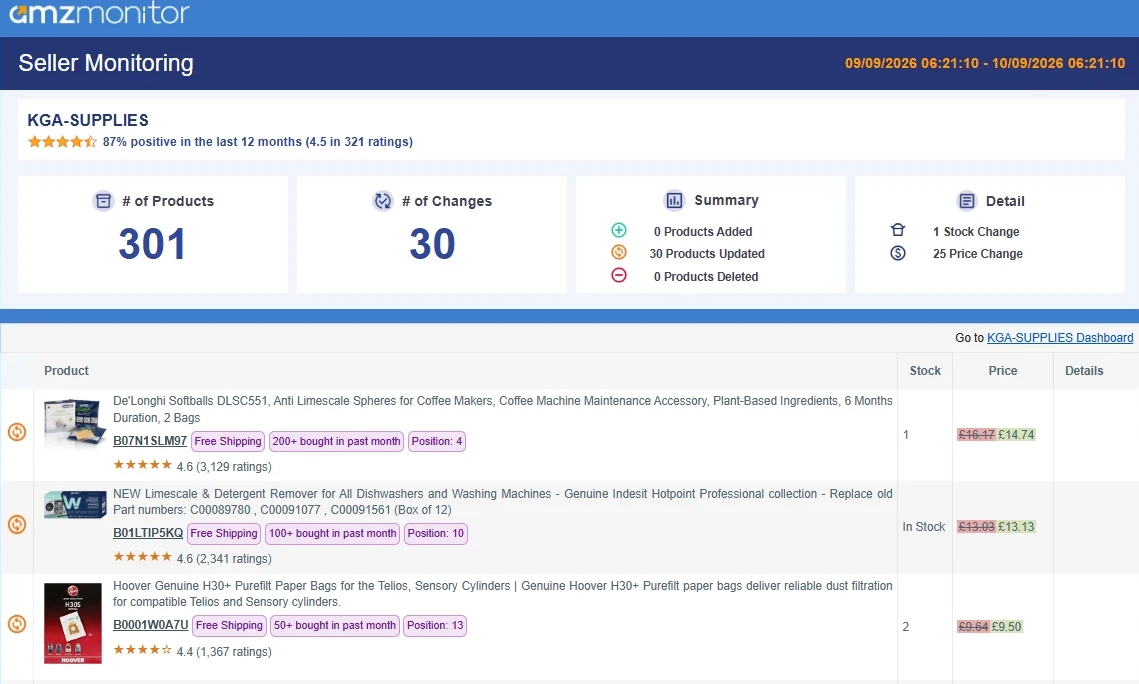
Each seller's alert email also shows, right next to the seller's name, which tracking scope that alert is based on — Top 300 Best Sellers, Newest Arrivals, Best Rated, or All Products — so when you are scanning several seller alerts in your inbox you do not need to open the app to remember what you are actually looking at for each one. It is a small addition, but a genuinely useful one once you are tracking more than a couple of sellers at a time.
Badge and coupon changes are the ones sellers underestimate the most. A price move is obvious and gets attention immediately, but losing the Amazon's Choice badge, or having a competitor's coupon disappear right before a sales event, can shift conversion just as much without showing up anywhere in a simple price comparison. Treating those signals as equally important as price is usually the difference between reacting to a competitor's move in real time and only noticing it a month later when your own numbers already show the impact.
Comparing Sellers Side by Side
Single-seller tracking answers "what is this seller doing." It does not answer "how does this seller compare to the other three I'm watching," which is a different and often more useful question, especially if you are deciding which supplier relationship to lean into or which competitor is actually worth worrying about.
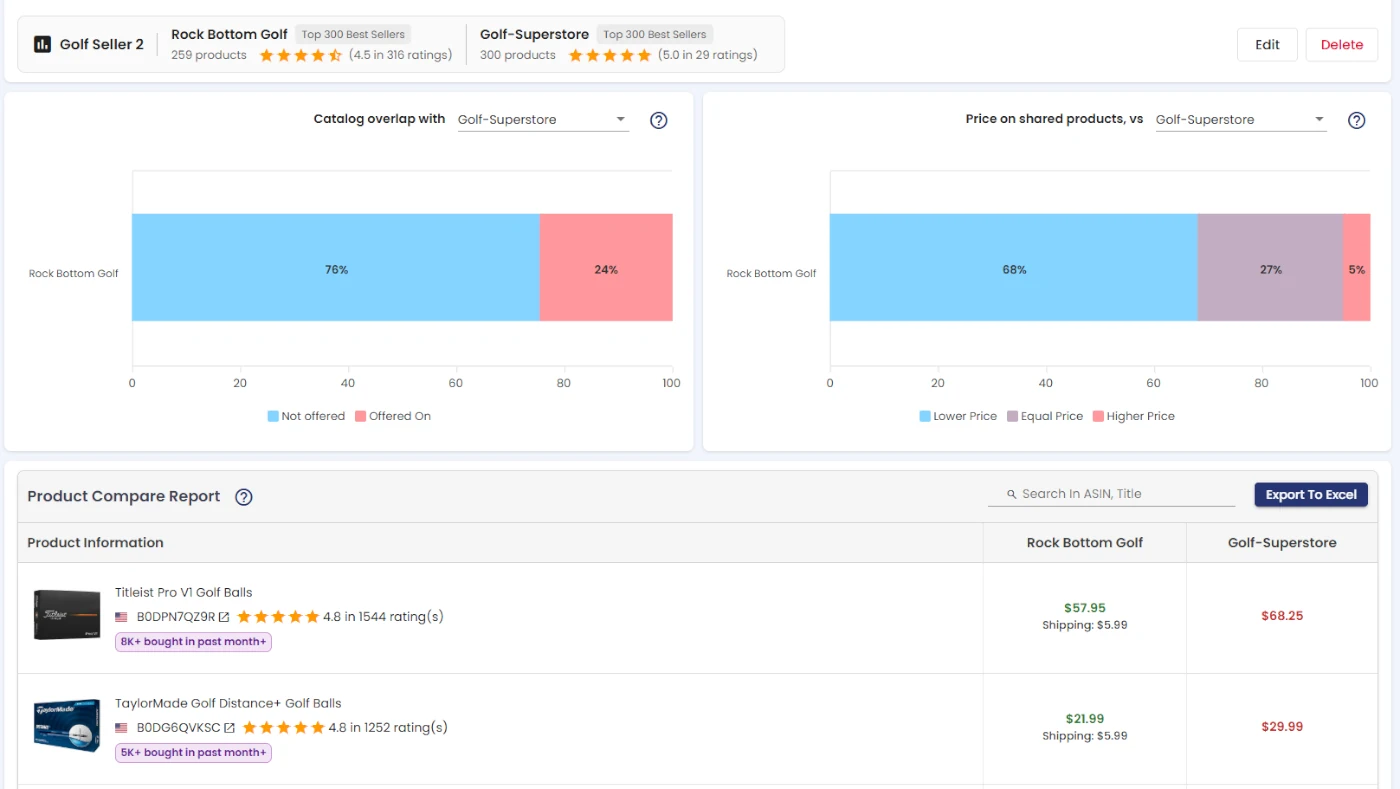
For that, you can select between two and four of the sellers you already track and pull a Seller Compare Report. It shows catalog overlap — pick one seller as your reference point and see what percentage of their products are also carried by each of the others — and price positioning, which breaks the products they have in common into who is priced lower, equal, or higher than your reference seller. Underneath both charts is a full product compare table with price, shipping, stock, fulfillment, and badges lined up side by side, exportable to Excel if you need to work with the numbers elsewhere or share them with a team. We will go into the Compare Report in more depth in a separate post, since there is enough there to cover properly on its own, but it is worth knowing it exists and that it builds directly on the same sellers you are already tracking.
Why This Matters Day to Day
None of this replaces judgment. AmzMonitor will not tell you whether a competitor's price drop is a threat worth reacting to or just noise you can ignore for a week. What it does is remove the manual checking that used to stand between you and that judgment call. Instead of remembering to open a handful of storefronts every few days and trying to recall what they looked like last time, you get a daily diff waiting in your inbox and a place to go when you need the longer history behind it.
If you already have sellers set up in AmzMonitor, it is worth revisiting their tracking scope now that it is configurable per seller — a setting picked once when you first added a competitor may no longer match how closely you actually need to watch them today. And if you have not set up Seller Monitoring yet, this is a good moment to start: add the sellers that matter most to your category, pick a scope that matches how closely you need to watch each one, and let the daily comparisons do the checking you would otherwise be doing by hand.